
IPTV Canada Setup Guides — IPTVSKY
👇 Choose your device to see a step-by-step install (M3U / Xtream Codes / EPG).
Heads-up: We provide the IPTV subscription. Player apps are just recommendations—use any IPTV player you like.
Think SIM + phone: we provide the SIM (subscription), you bring the phone (player app). Secure checkout — pay in seconds with trusted payment options..
Think SIM + phone: we provide the SIM (subscription), you bring the phone (player app). Secure checkout — pay in seconds with trusted payment options..
➡️
Canada’s reliable IPTV — HD/4K with EPG
Get instant access to 40,000+ live channels & VOD with clean Canadian routes, low buffering, and full TV Guide (EPG). Works on Fire TV, Android TV/Box, MAG, iPhone/iPad, Windows/Mac, and Android phones. Pay with Secure checkout — pay in seconds with trusted payment options. Start now .
Fire TV Stick — quick start
TiviMate
IPTV Smarters
Part 1: Install the Downloader app
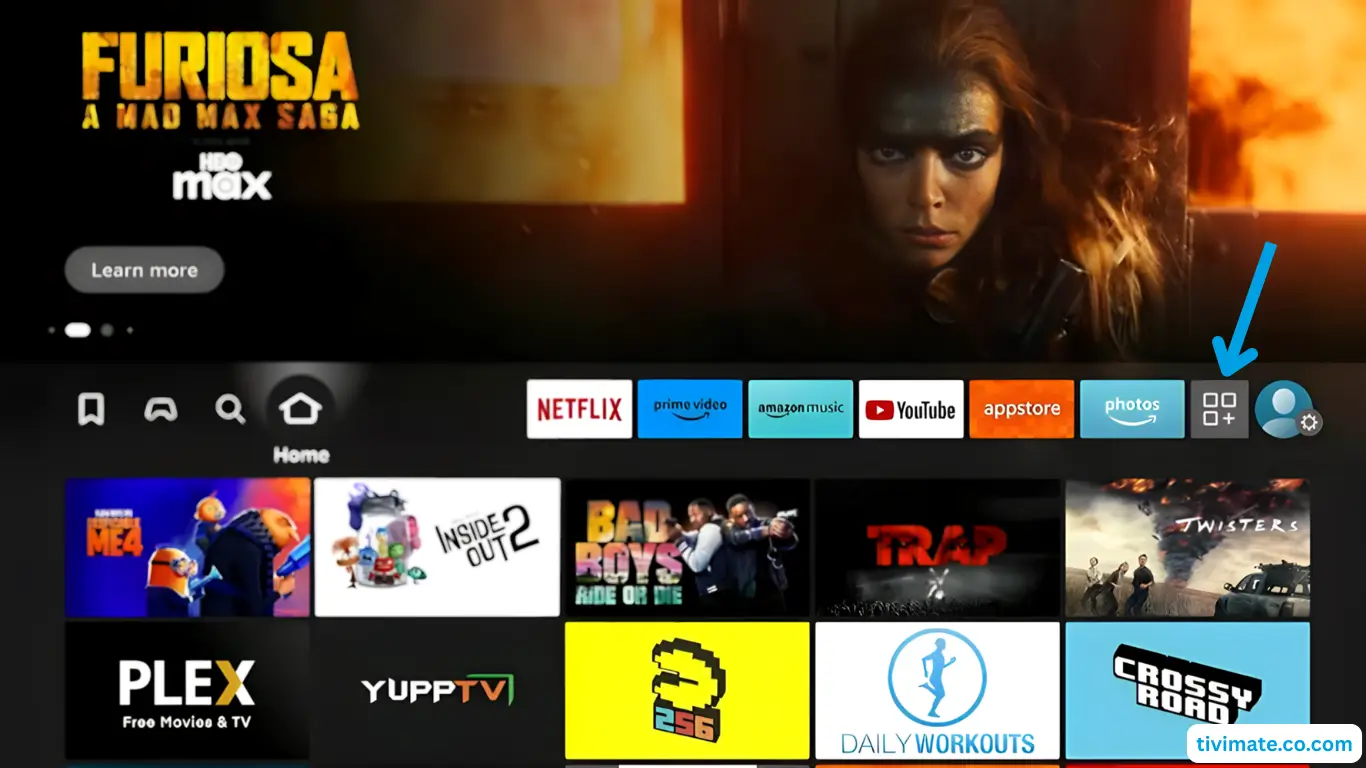
- From Home, open My Apps.

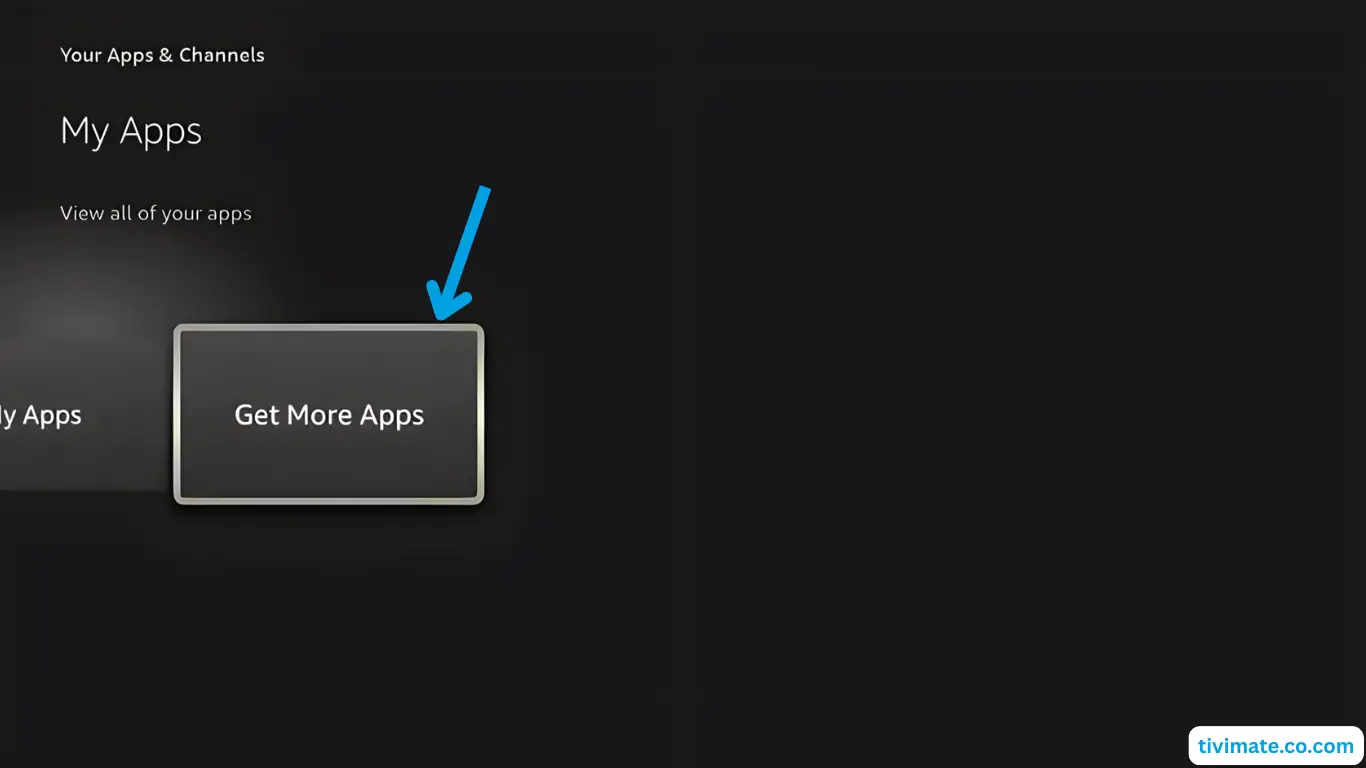
- Choose Get more apps.
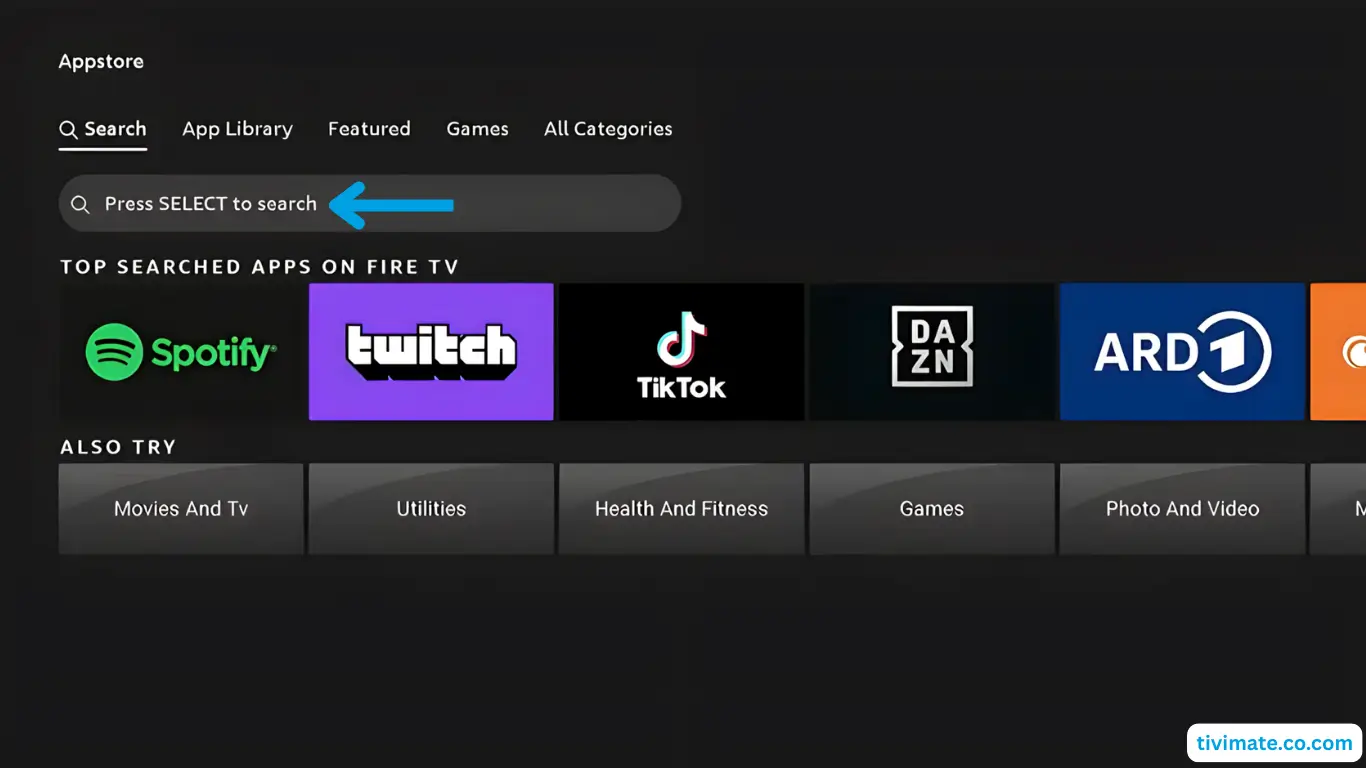
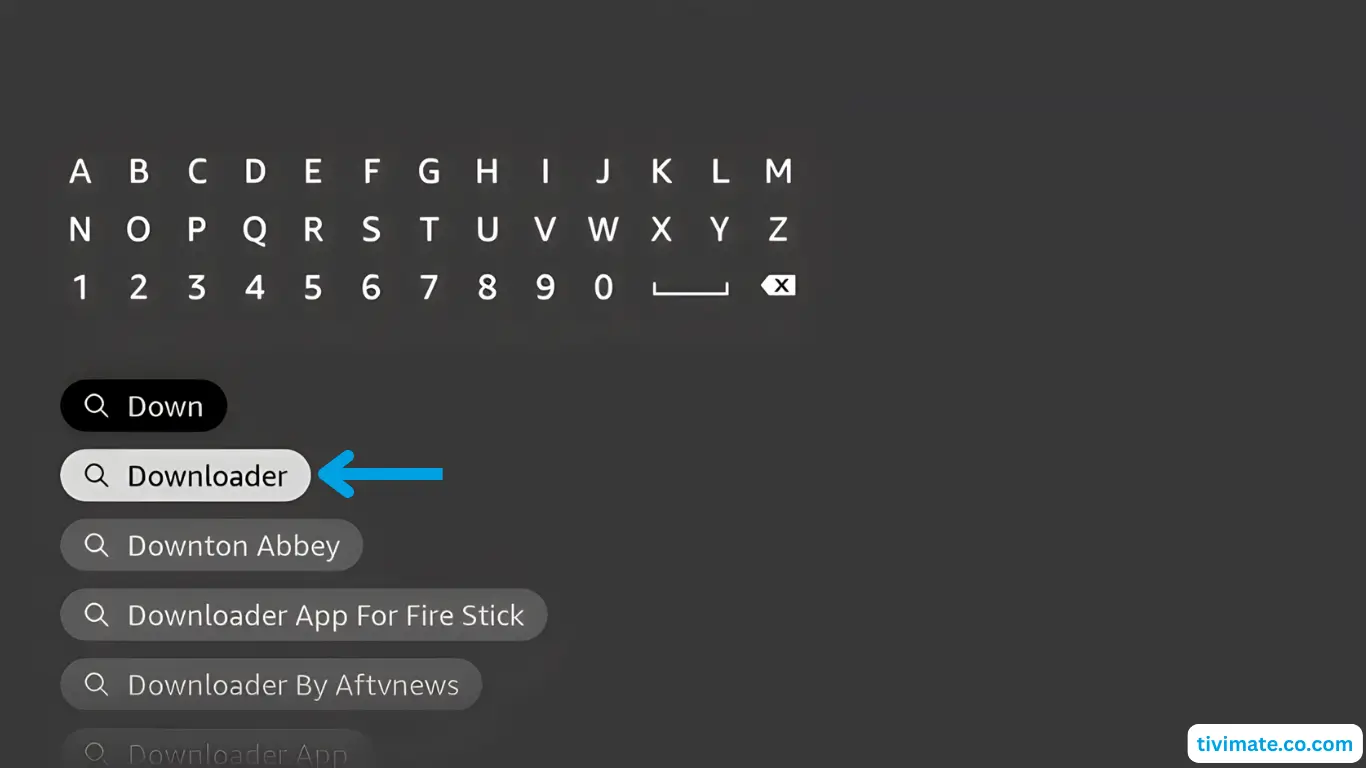
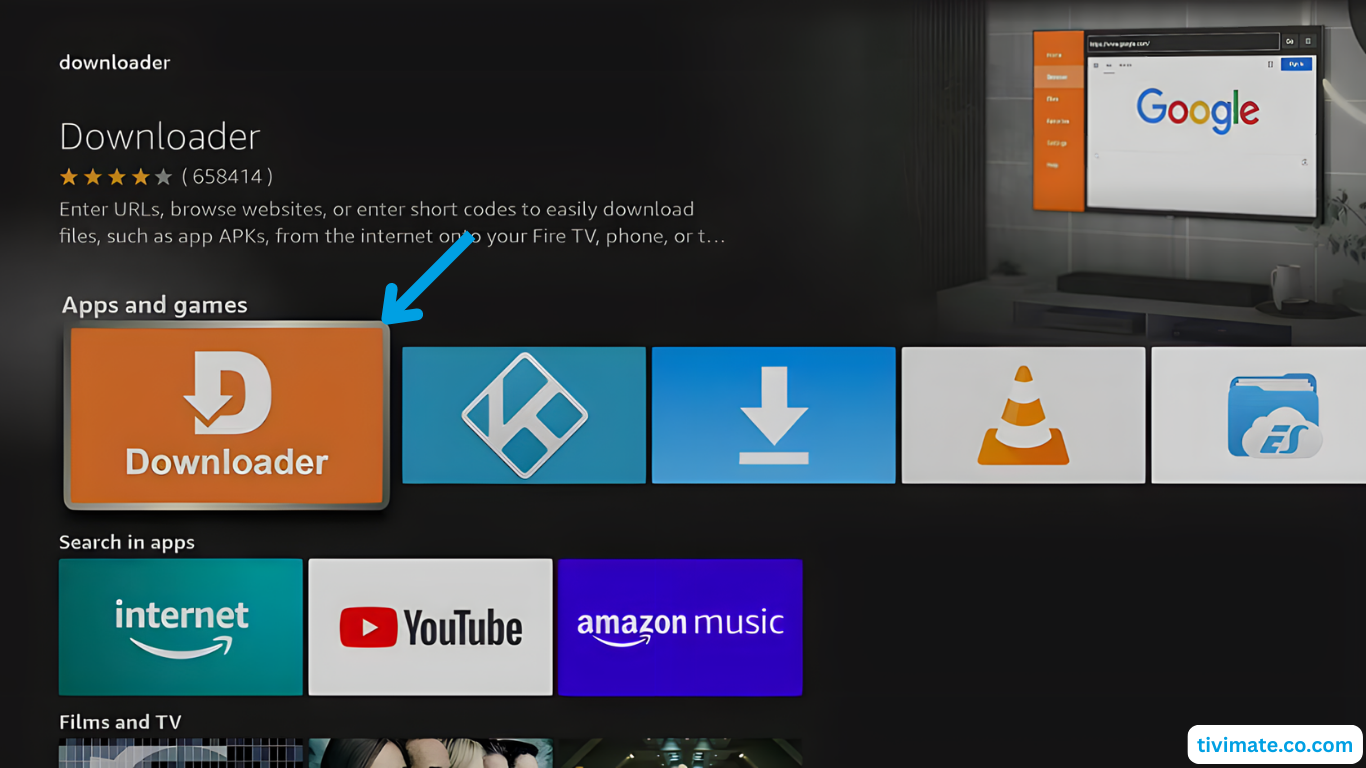
- Select Search, press Down then OK, and type Downloader.
- Pick Downloader from results and press OK.
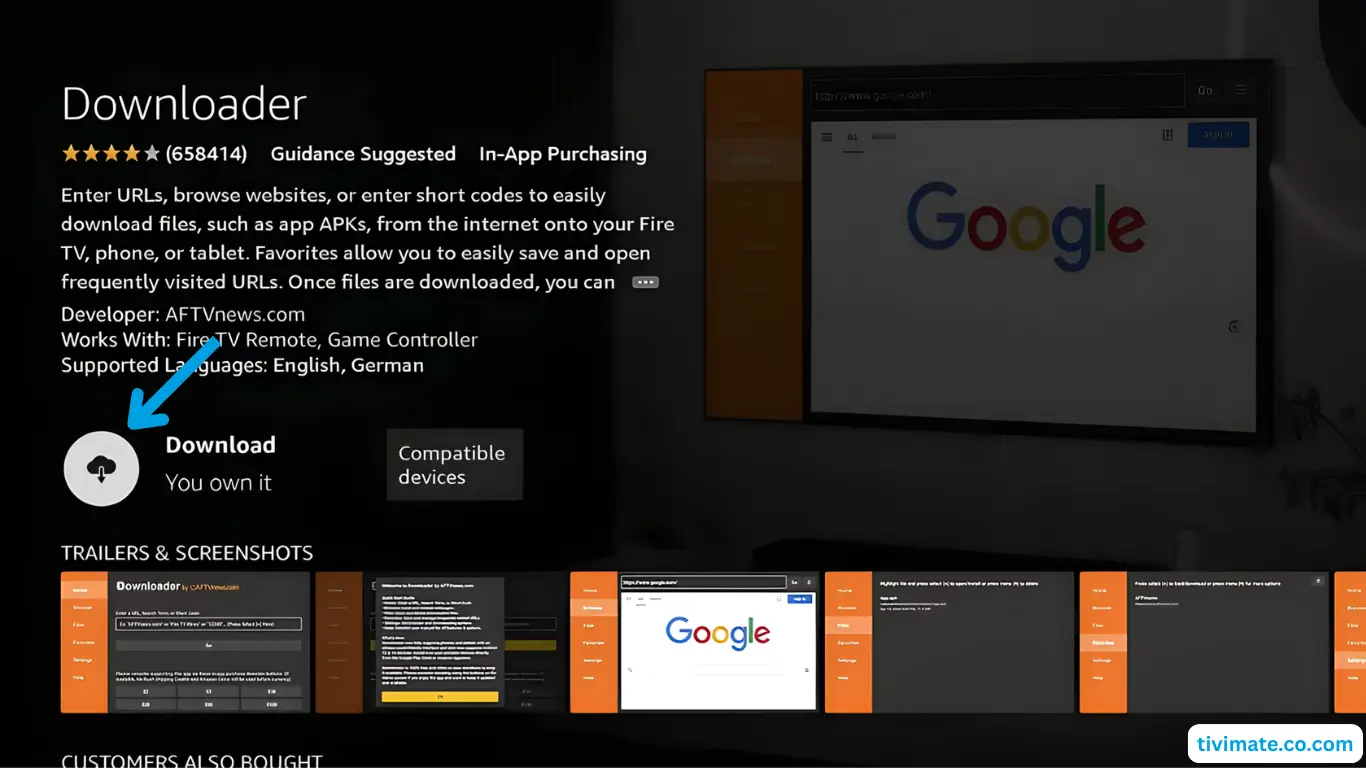
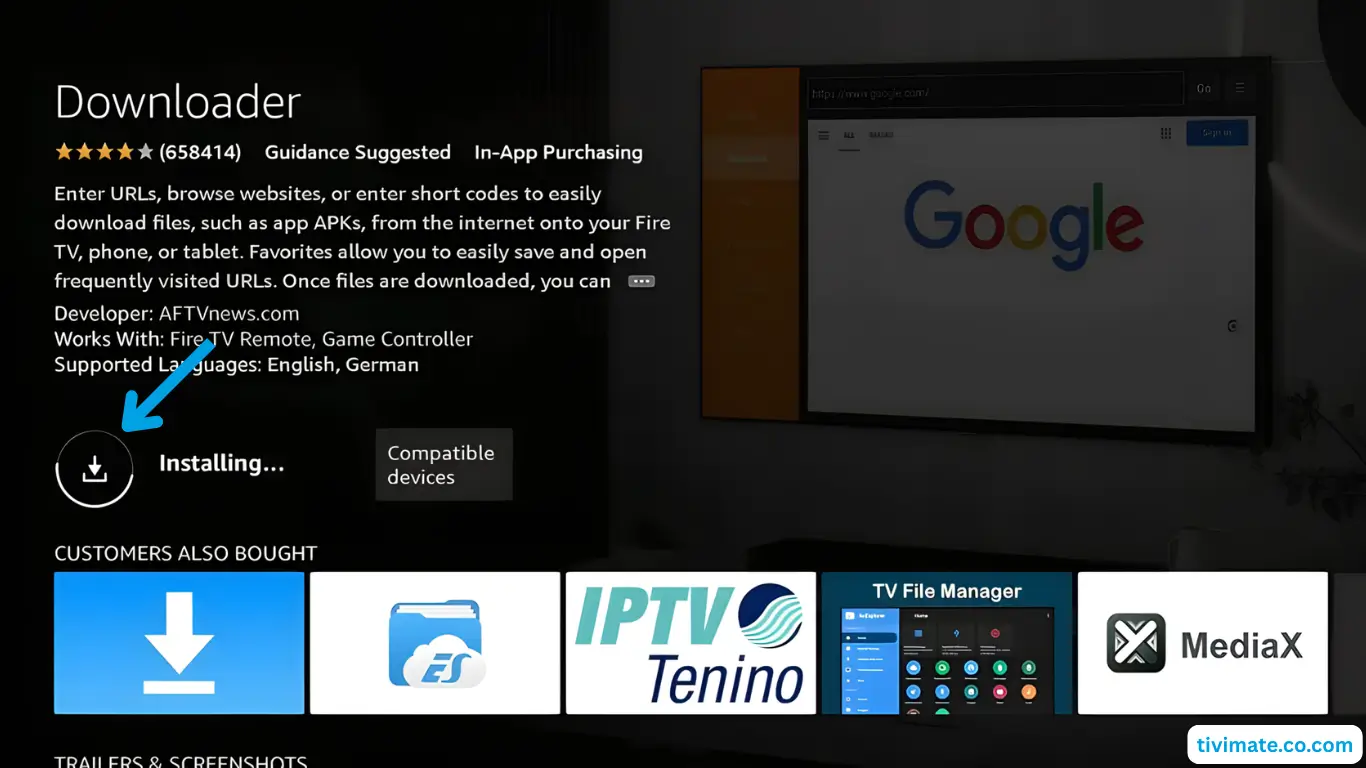
- Select Download to install.
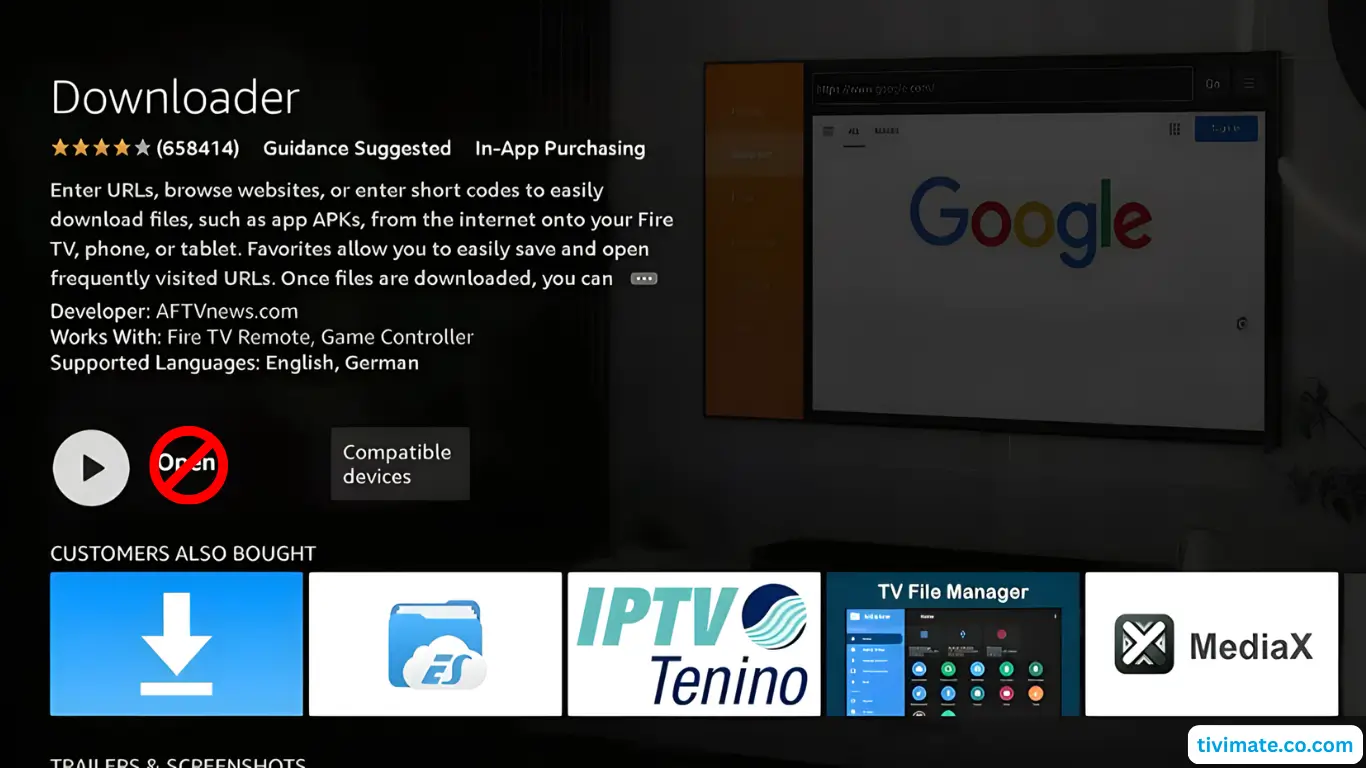
- Let it finish installing.
- Don’t open it yet. Press Back to return Home.
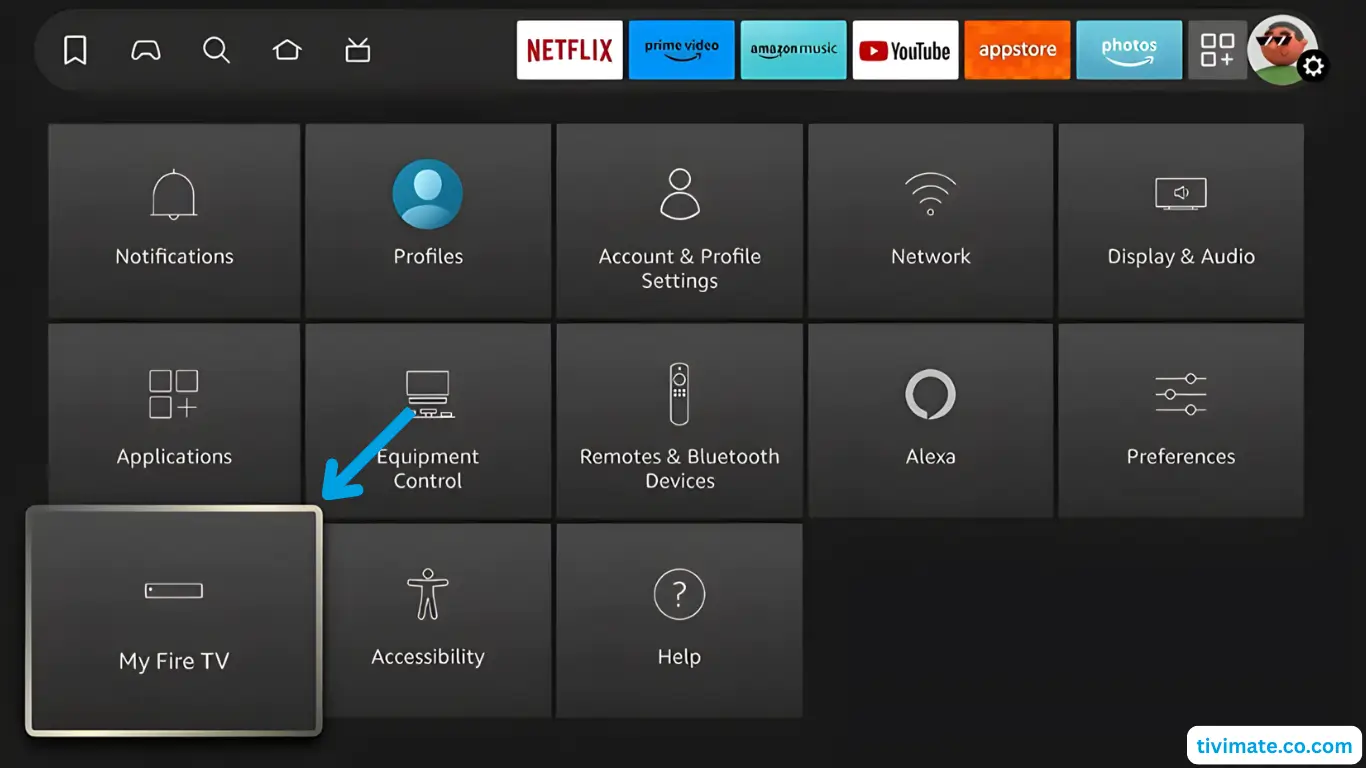
Part 2: Enable Developer Options & Unknown Sources
- Go to Settings → My Fire TV.
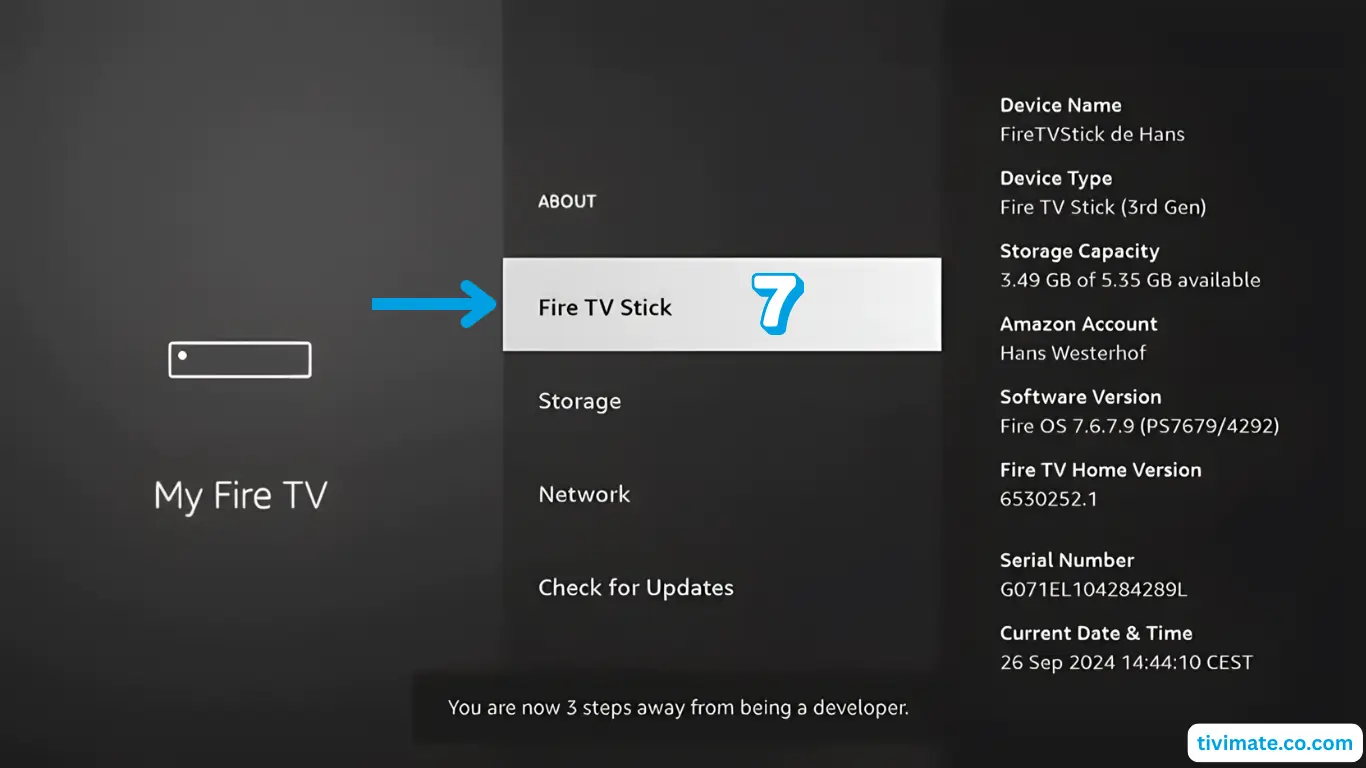
- Open About and press Fire TV Stick 7 times to unlock Developer Options.
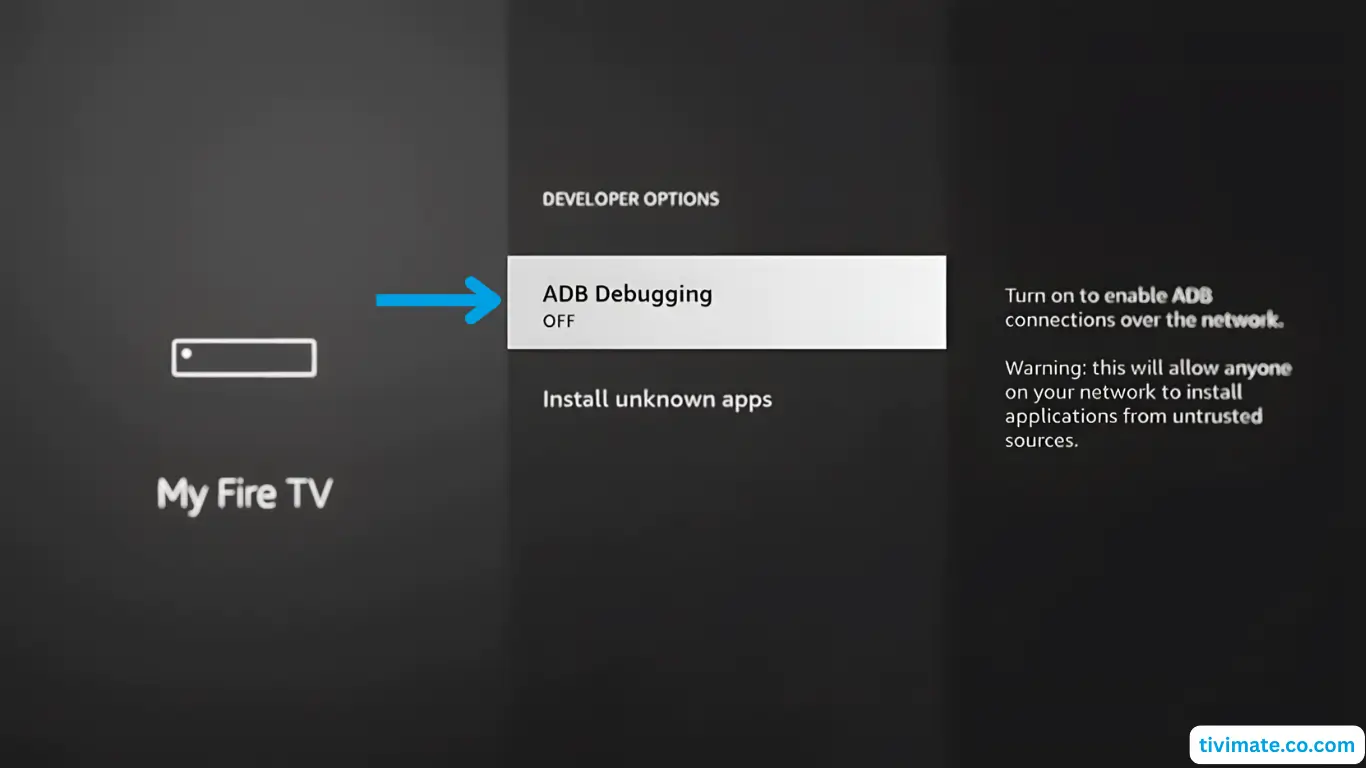
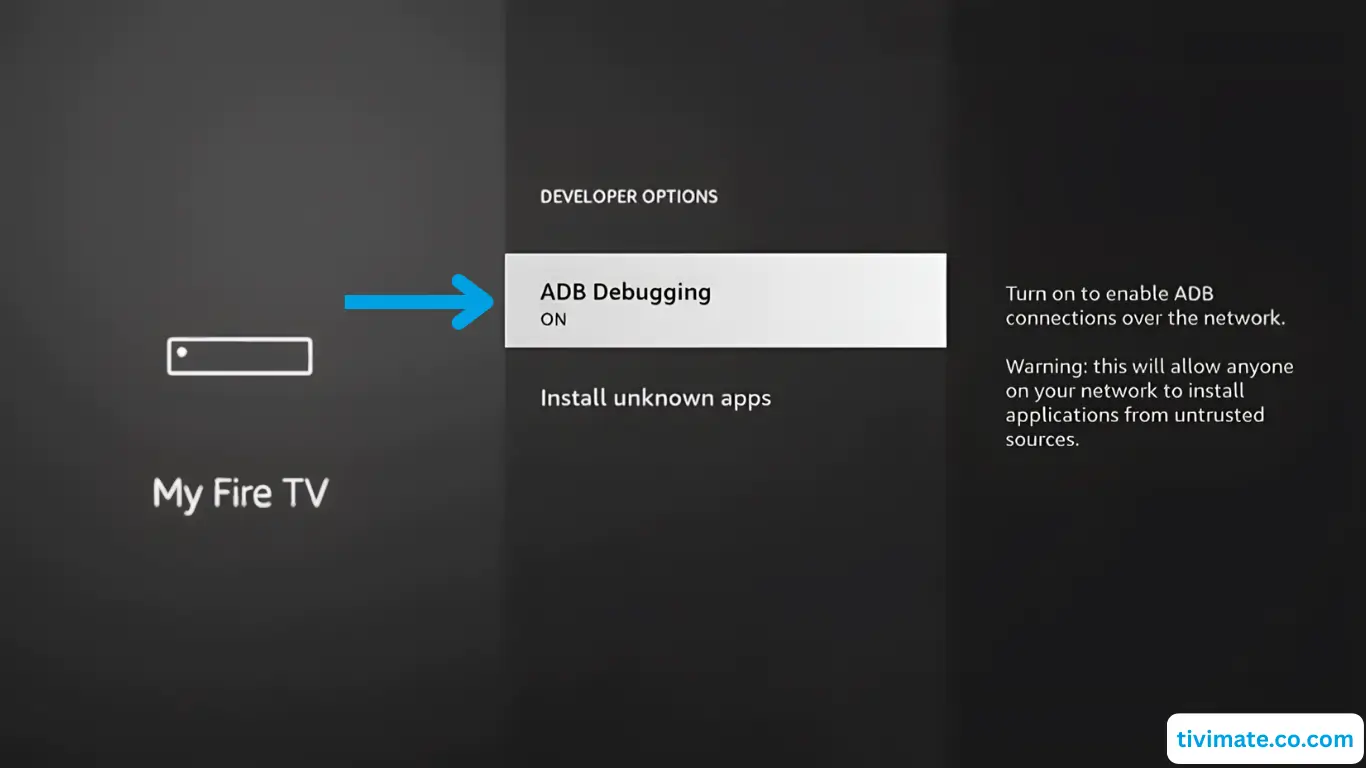
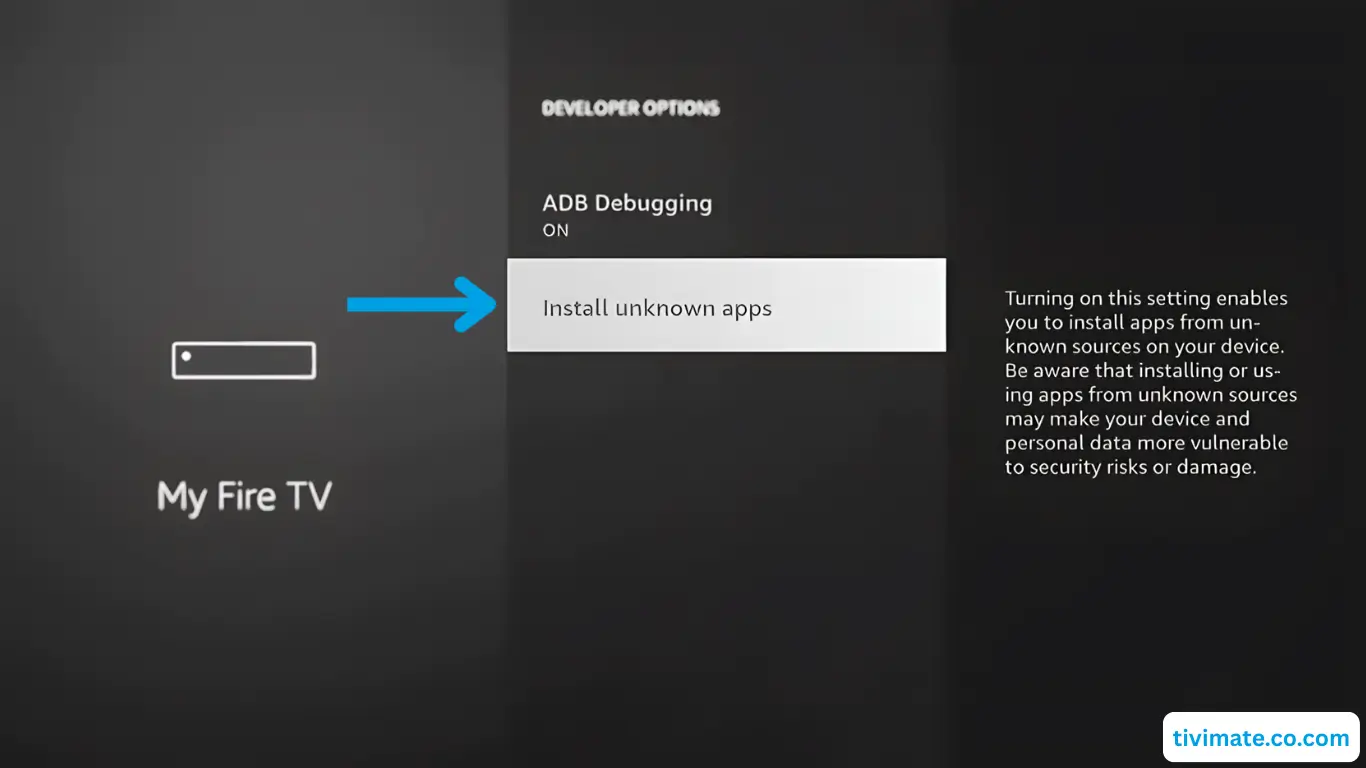
- Back → Developer Options → turn on ADB debugging.
- Make sure it shows On.
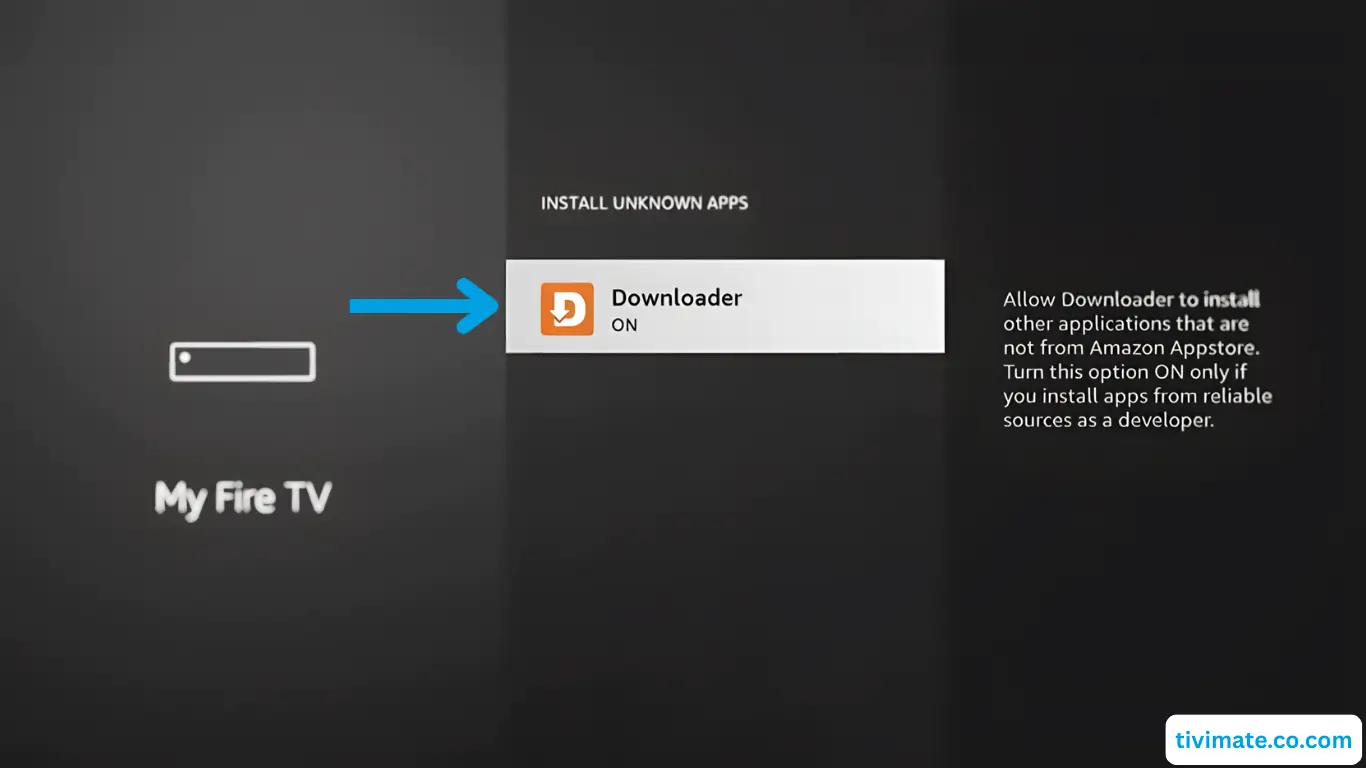
- Open Install Unknown Apps and allow Downloader.
- Press Home to exit.

Part 3: Install TiviMate via Downloader
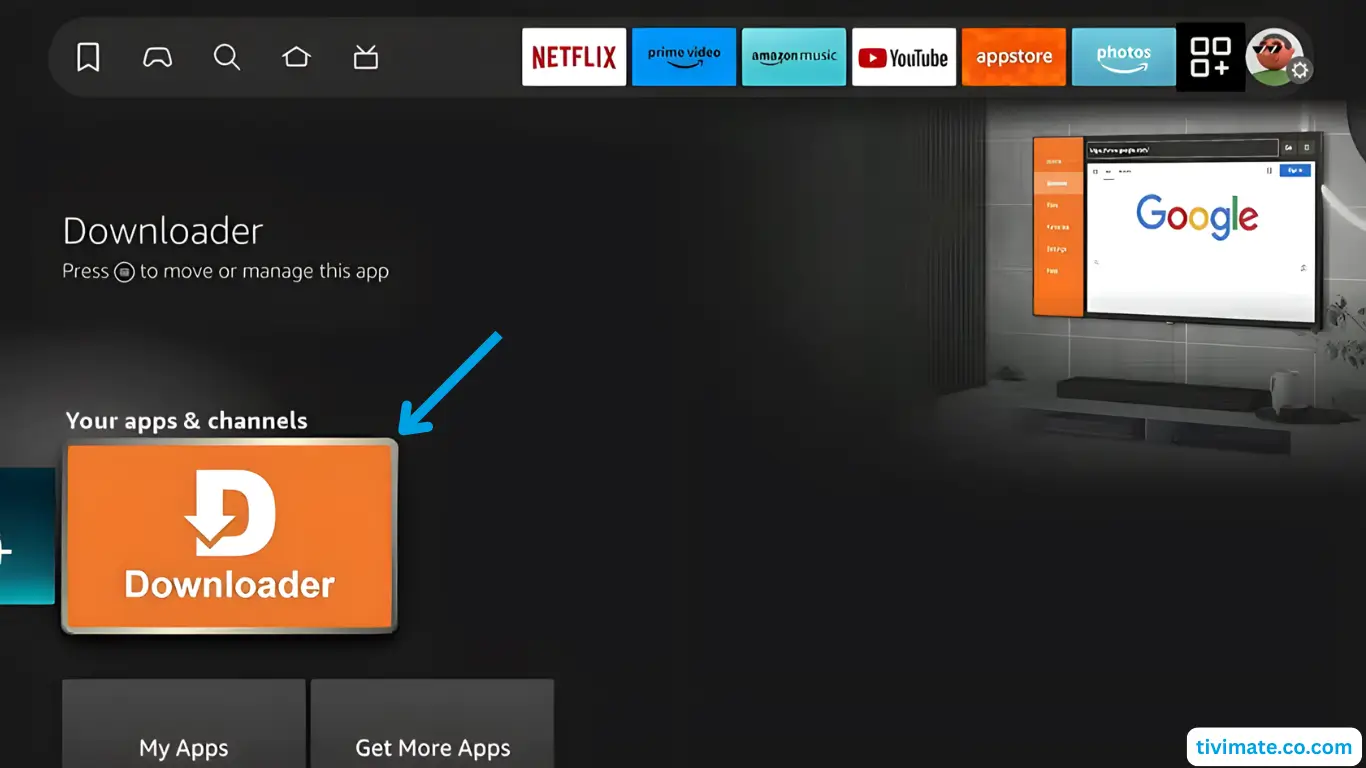
- Open Downloader.
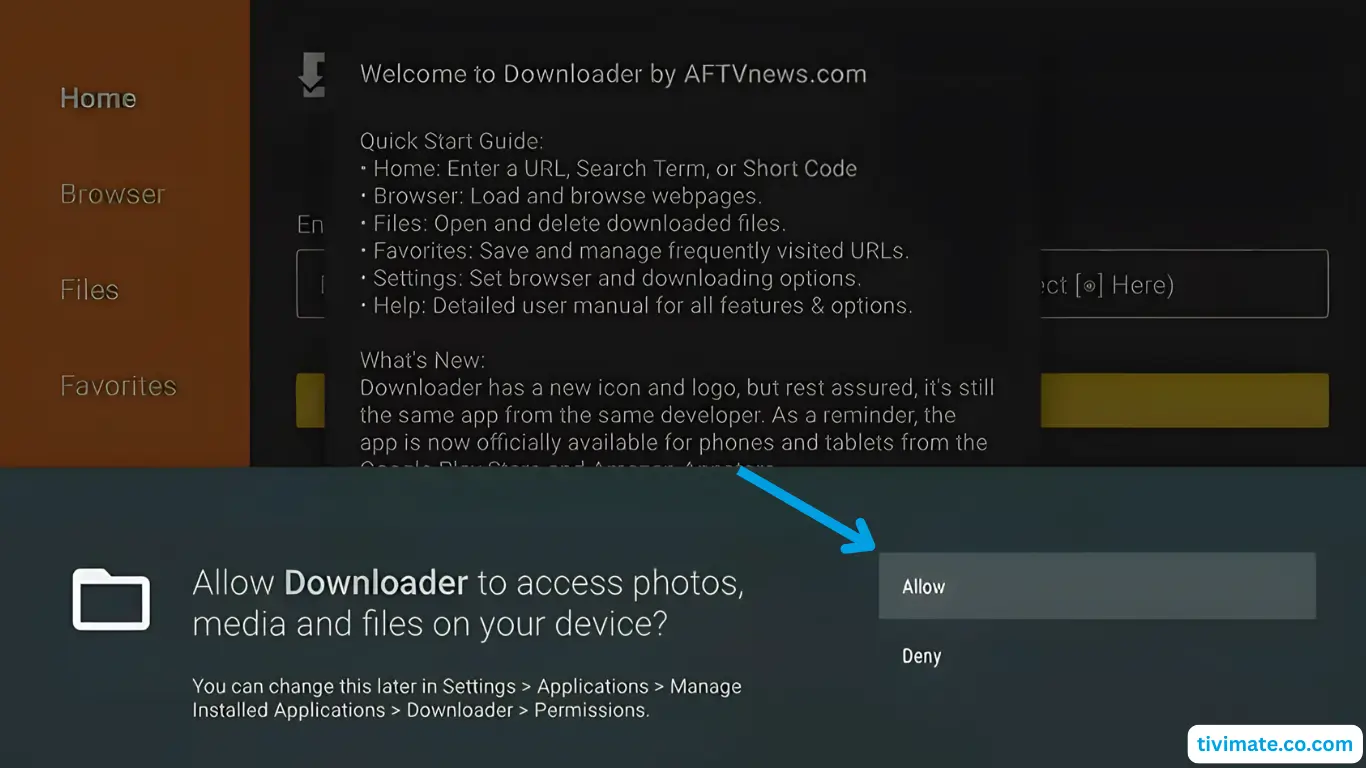
- Tap Allow for file access and dismiss the welcome message.
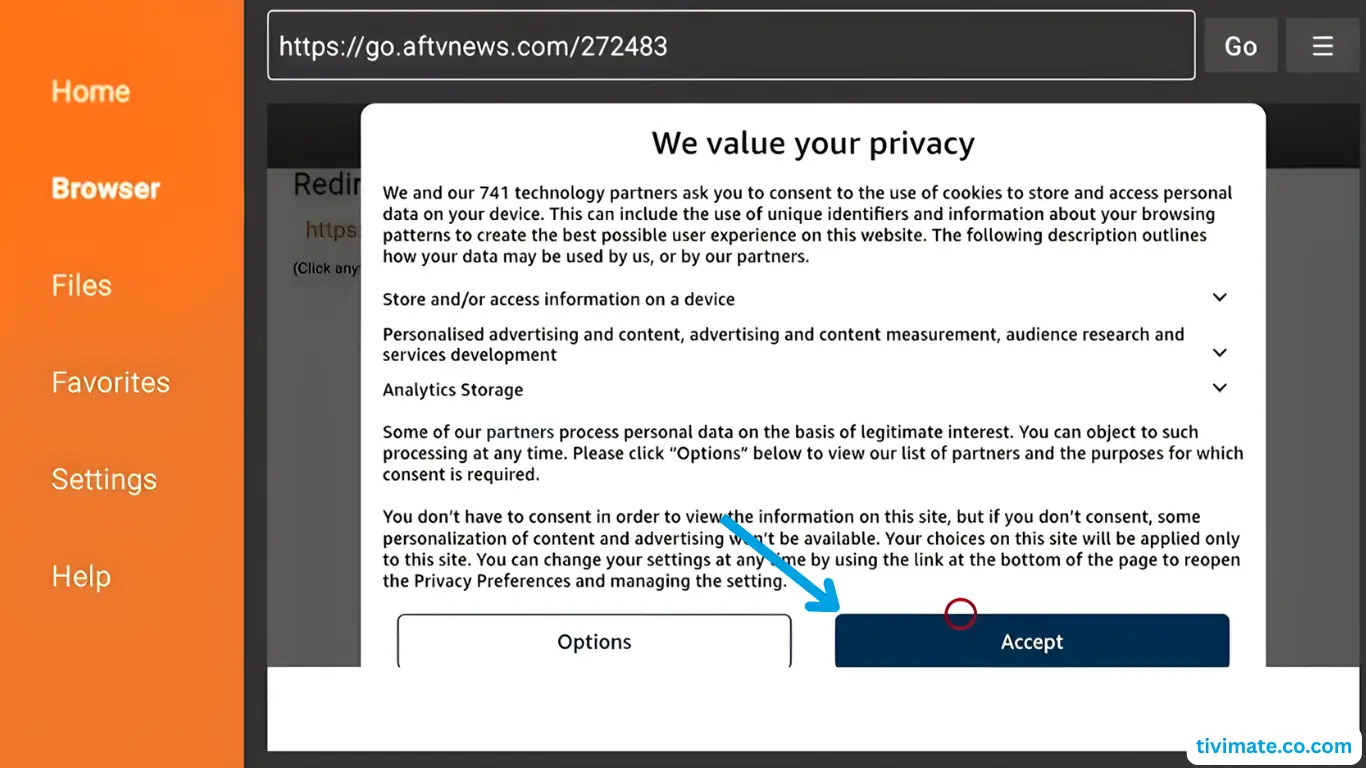
- Enter code 272483 and press GO.
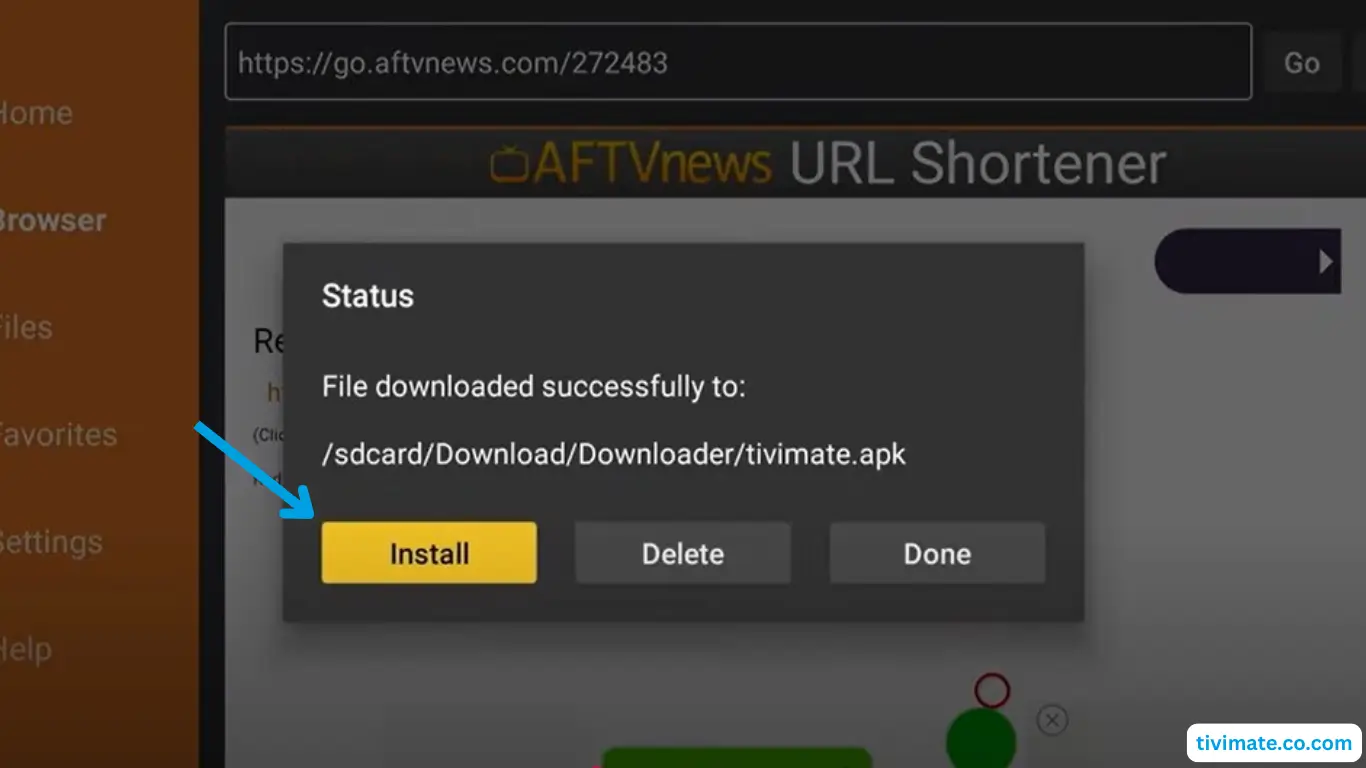
- Accept the Privacy Policy → Install (confirm if asked).
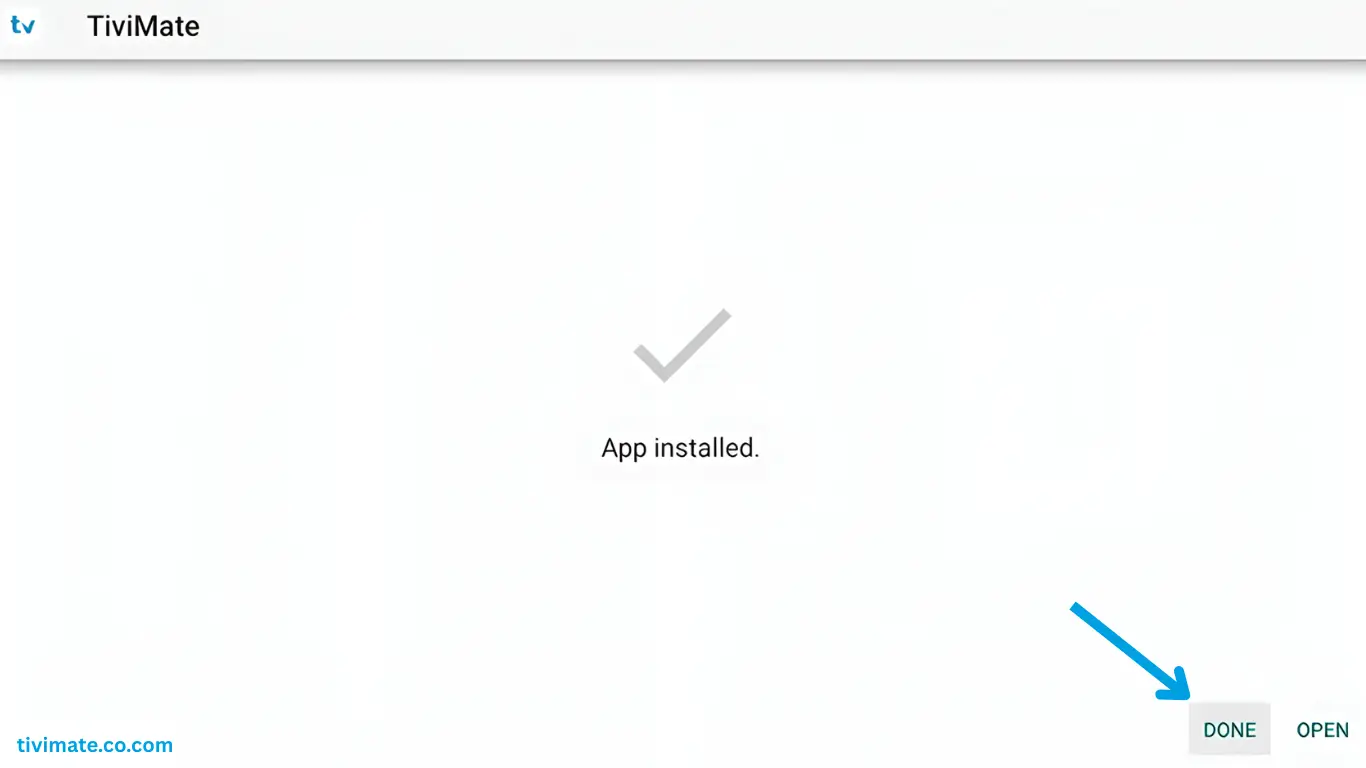
- When done, press DONE → Delete the APK twice to clean up.
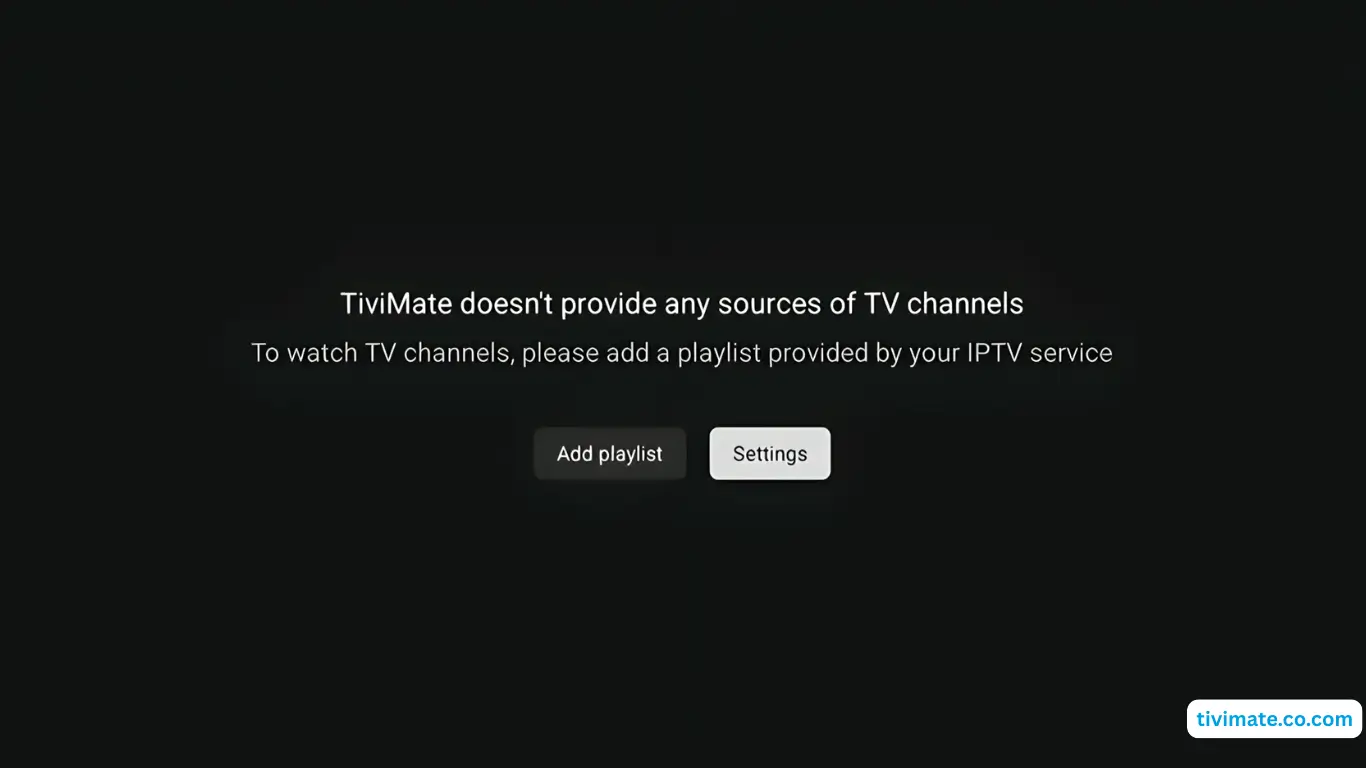
- Go to Apps and open TiviMate. You’re ready to watch.


Tip: If Developer Options are hidden, open About and click Fire TV Stick 7 times.
FAQs
What is TiviMate on Firestick? ▸
TiviMate is an IPTV player that organizes channels and EPG. You still need an active IPTV subscription.
Compatible with all Firestick models? ▸
Works with most recent models. Ensure solid Wi-Fi and free storage.
How do I add my IPTV service? ▸
In Add playlist, use either your M3U URL or Xtream Codes (server, username, password) we provide after purchase.
Android TV — fast setup
TiviMate
Perfect Player
IPTV Smarters
Works with: Sony, TCL, Hisense, Philips, Nvidia Shield, Chromecast with Google TV, Mi Box, and most Android TV boxes.
Method 1: Google Play (recommended)
- Open the Google Play Store on your TV.
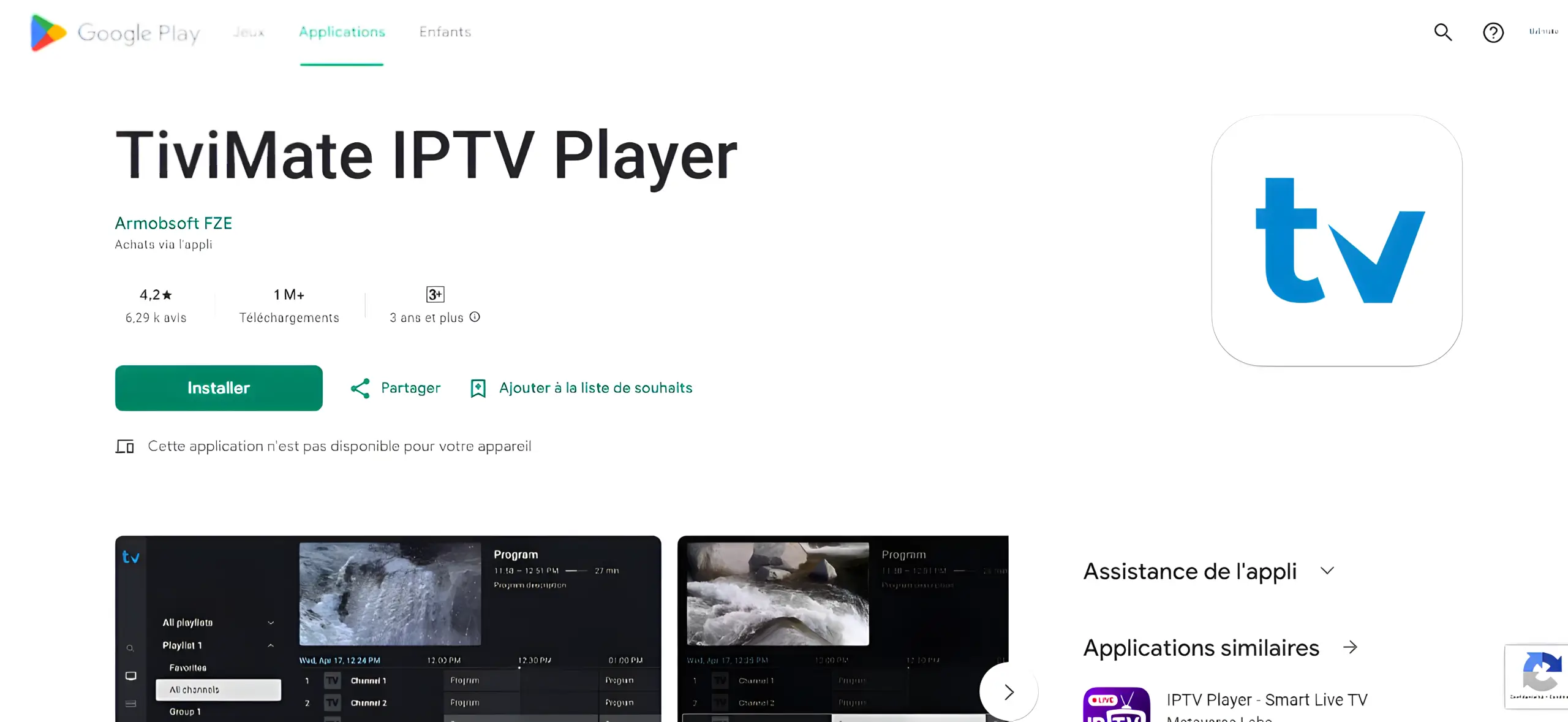
- Search for TiviMate IPTV Player and install.
- Open TiviMate → Add Playlist → select Xtream Codes.
- Enter your IPTVSKY credentials (Server URL, Username, Password).
Method 2: Using Downloader
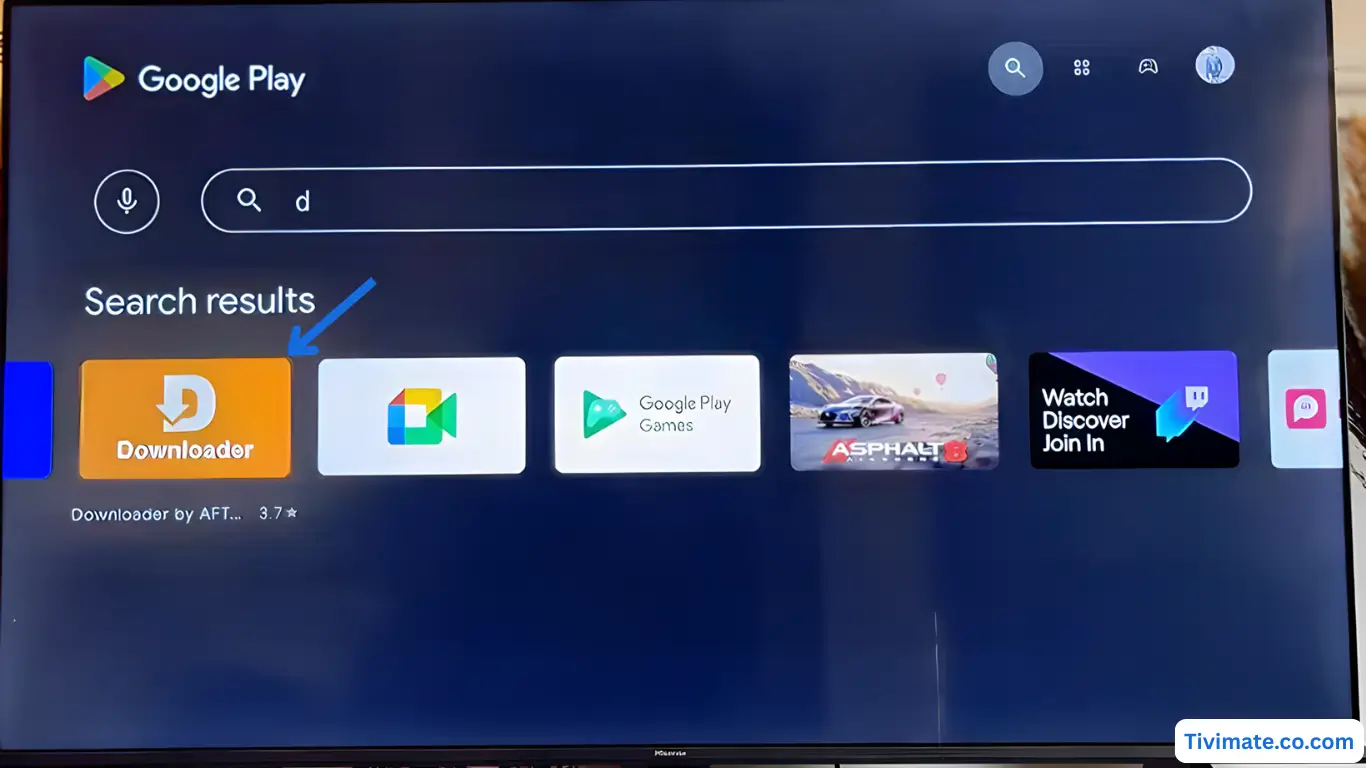
- Install Downloader from the Play Store.
- Tap Allow, then OK to proceed.
- Enter the Downloader code 272483 for TiviMate.
- Accept the policy → Install → DONE → delete the installer.
- Open TiviMate from Apps and sign in.


Note: If installing outside the Play Store, go to Settings → Security & Restrictions and allow Unknown apps for the installer.
FAQs
What does TiviMate Premium add? ▸
Multiple playlists, deeper customization, and more robust EPG—great for large channel lists.
MAG Box — portal setup
Supported models: MAG 250/254/256/322/324/349/351/410/420/424/425/520/522/524 and newer.
Steps
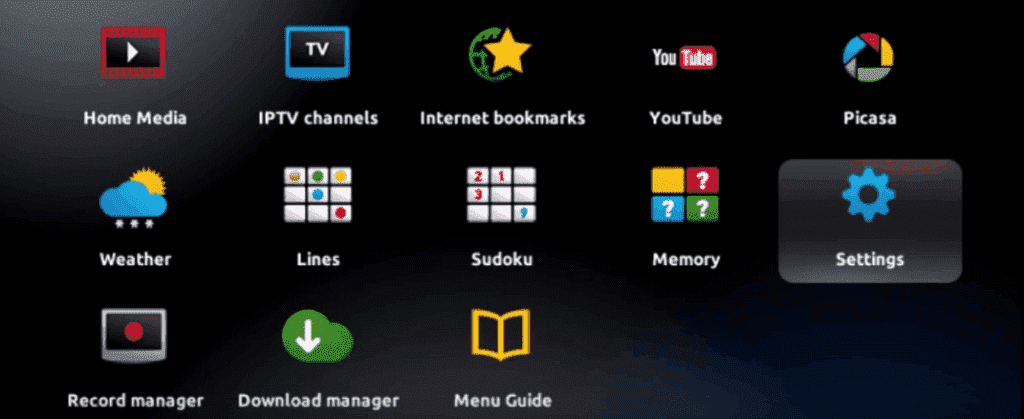
- Power on. On the main portal screen press SETUP/SET on the remote.

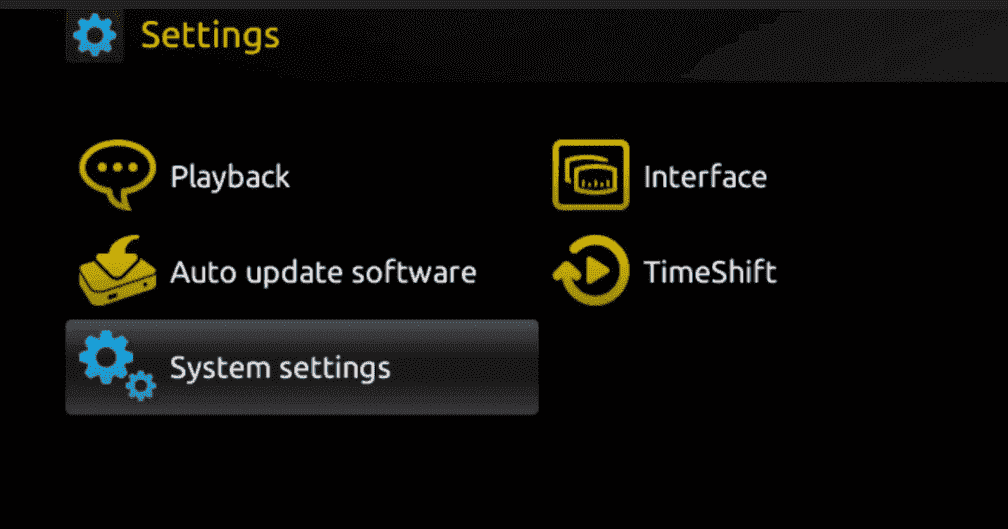
- Go to System settings → Servers.

- Select Portals.

- In Portal 1 name enter any label (e.g., IPTVSKY). In Portal 1 URL paste the portal link we send after activation.

- Save with OK → press EXIT → reboot the device.
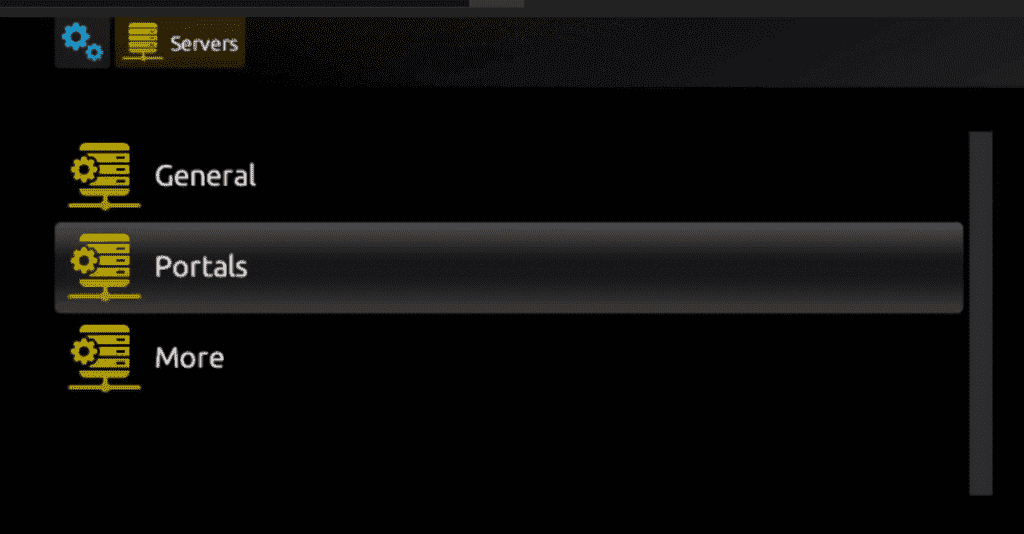
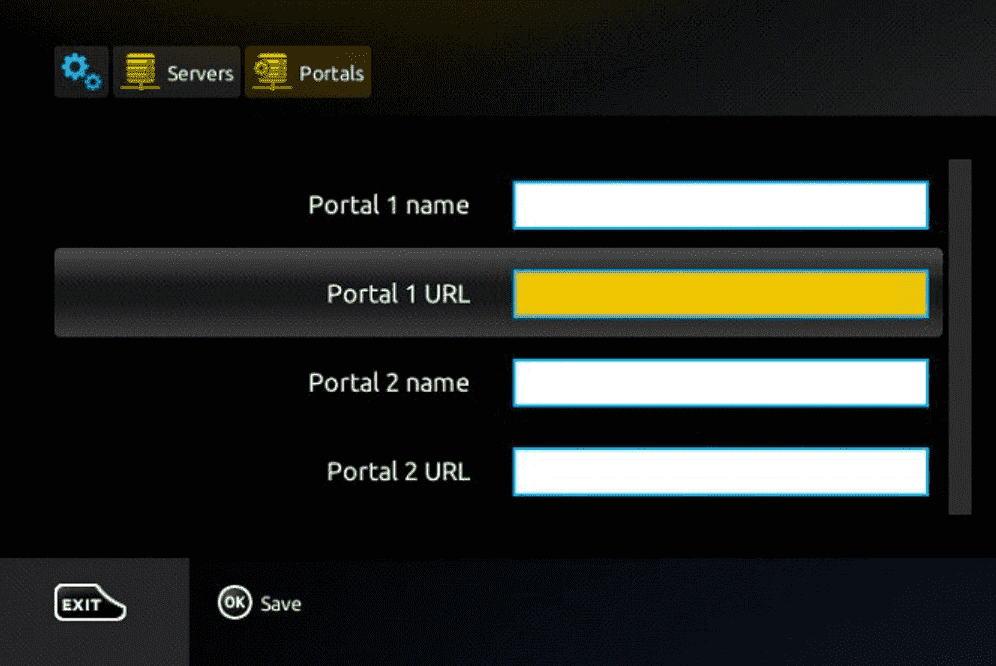
Important: We need your device MAC address (usually starts with 00:1A:79) to activate the subscription. We’ll then send your portal URL. Contact us.
FAQs
Where do I find the MAC address? ▸
Printed on a sticker on the back/bottom of the box, and visible in Settings → About.
Stuck on “Loading”. What now? ▸
Check internet, verify the portal URL, confirm your MAC is activated, then reboot.
iPhone & iPad — get streaming
Smarters Player Lite
GSE Smart IPTV
IPTVX
Method 1: Smarters Player Lite
- Download from App Store: Smarters Player Lite.
- Open the app → Add User → Login with Xtream Codes API → enter the details we sent.

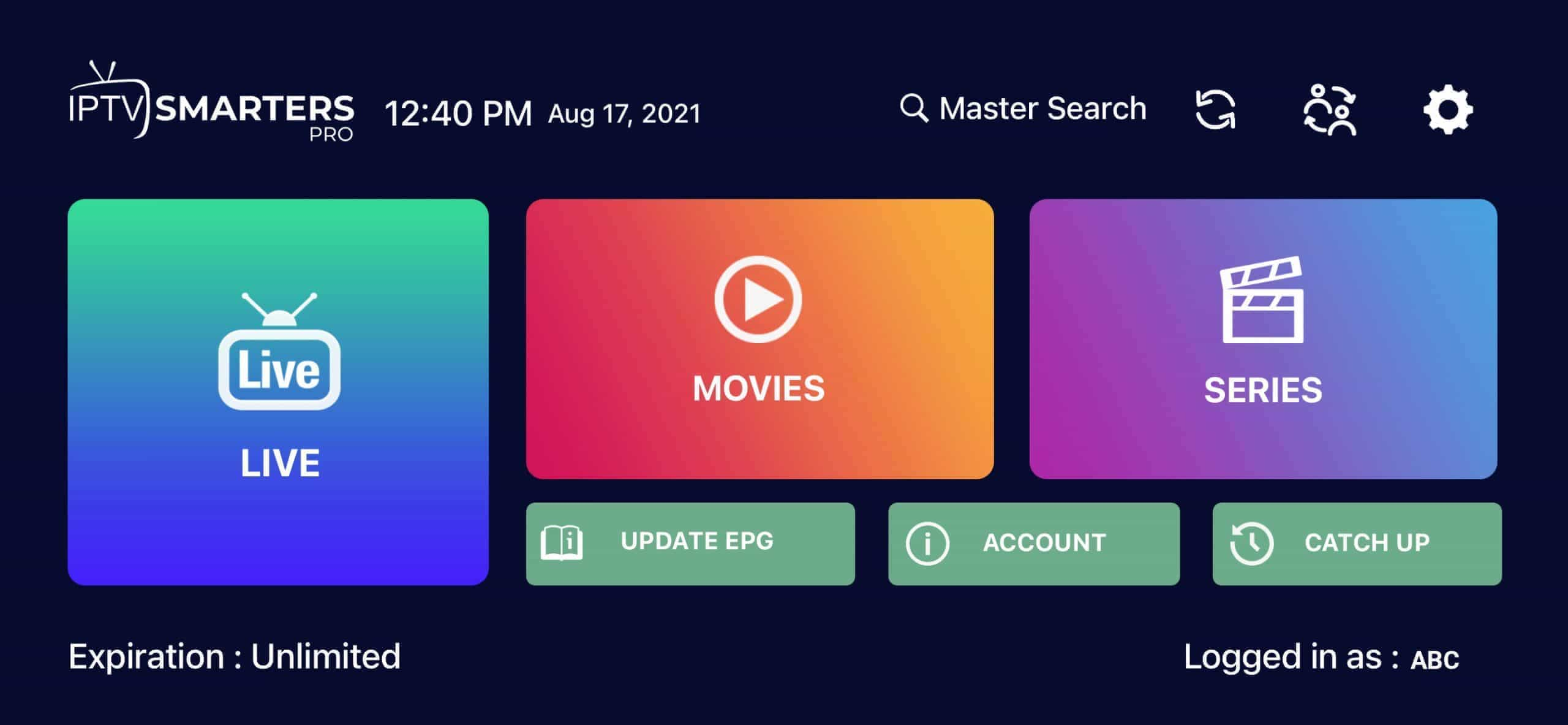
- Wait a few seconds while it loads your playlists. Tap Live TV to start watching.
- For the TV guide, tap Install EPG and allow it to finish.
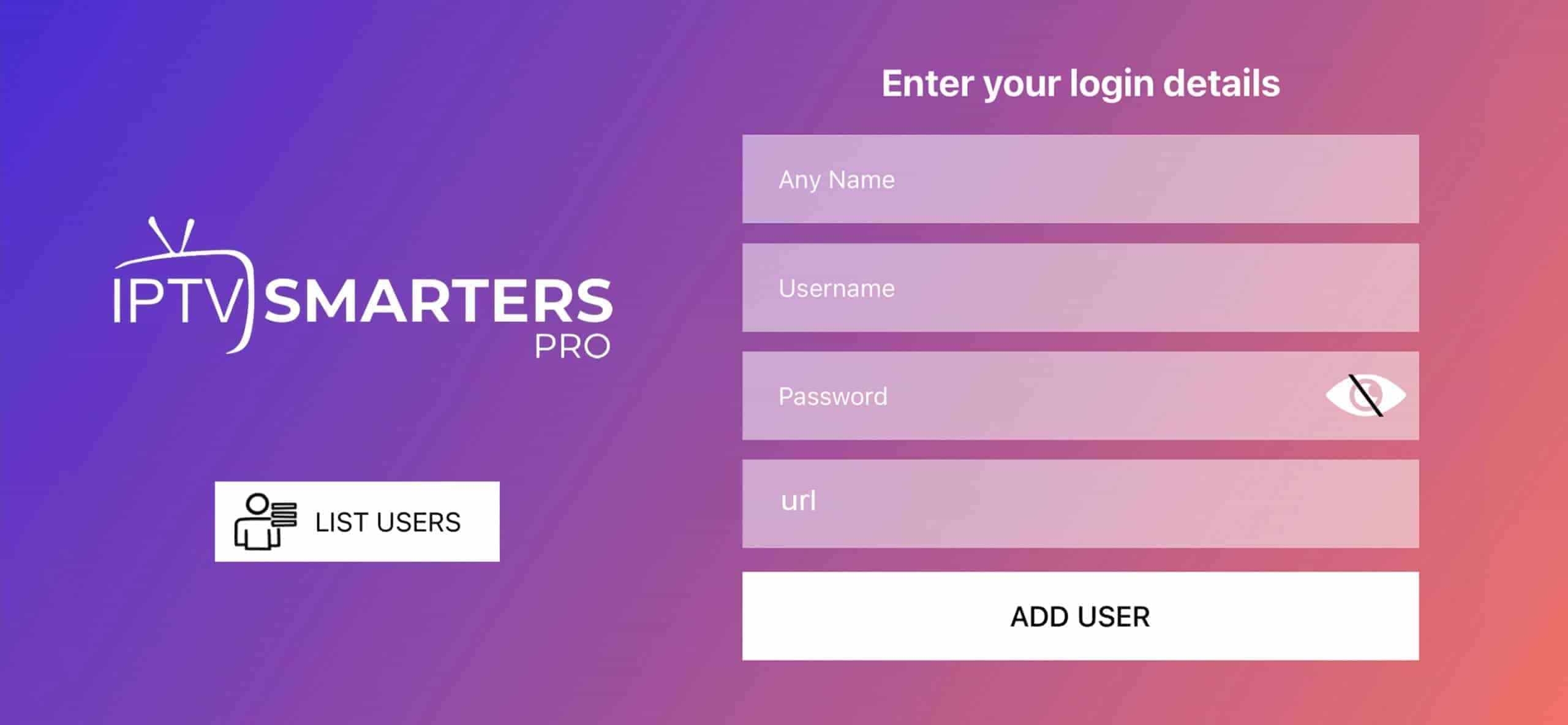
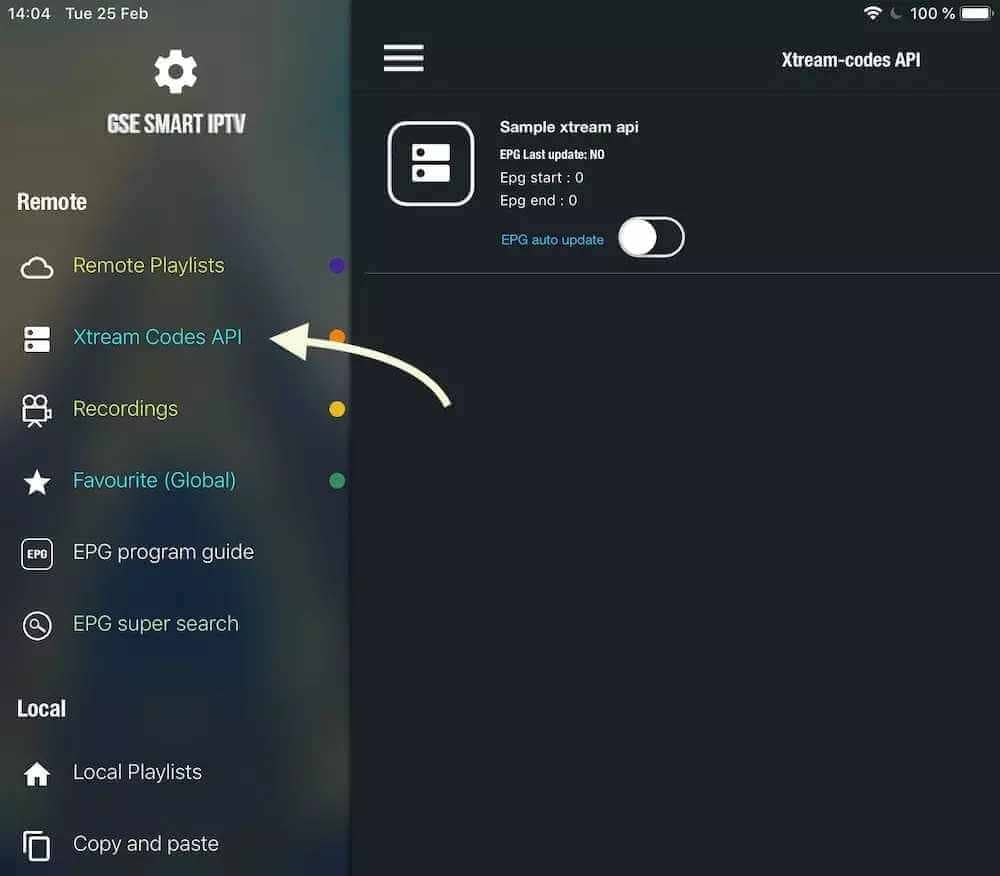
Method 2: GSE Smart IPTV
Available on iPhone / iPad / tvOS / macOS — get the app.
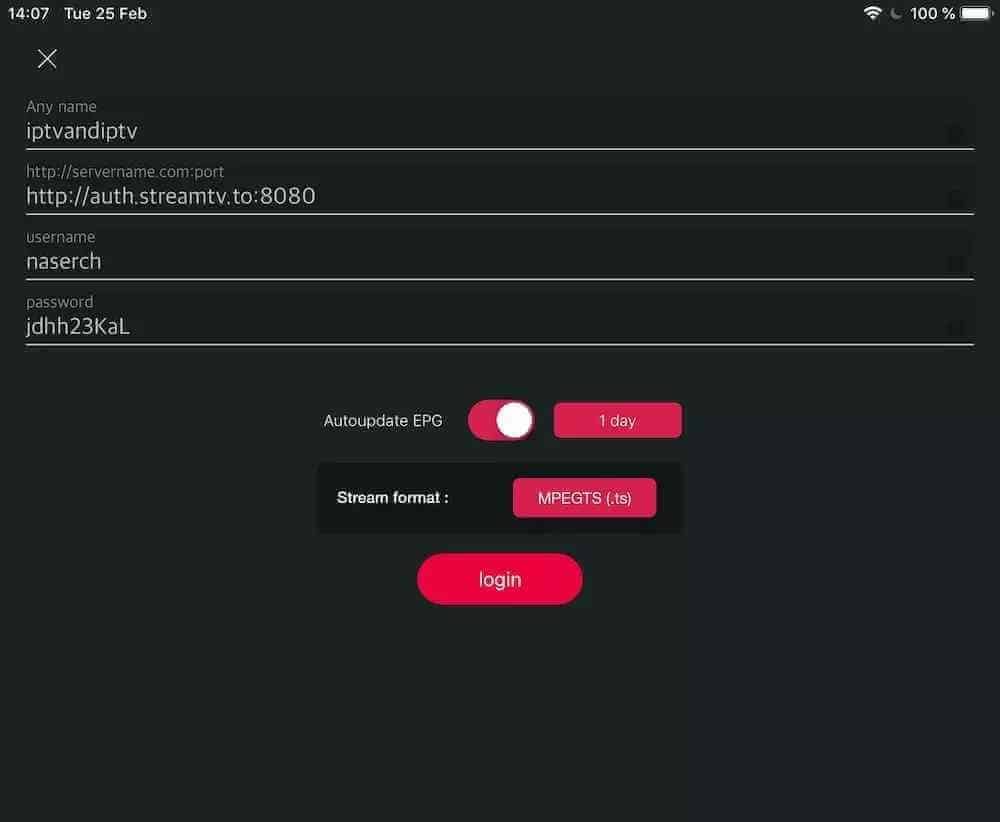
- Go to XTREAM CODES API and tap + to add a list.

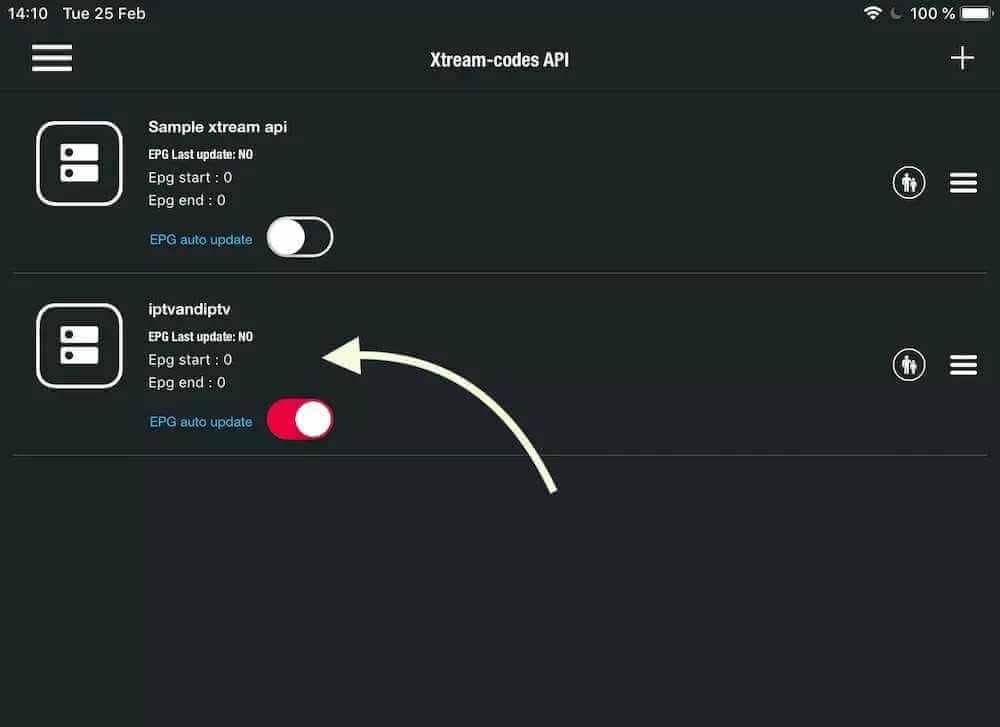
- Name it, enter Username/Password and the server URL → enable Auto-update EPG → LOGIN.

- Open the list to watch Live TV & VOD.

Tip: You’ll get smoother playback on stable Wi-Fi. Mobile data can buffer.
Windows & Mac — desktop streaming
IPTV Smarters Pro
MyIPTV Player
VLC Player
Method 1: IPTV Smarters Pro
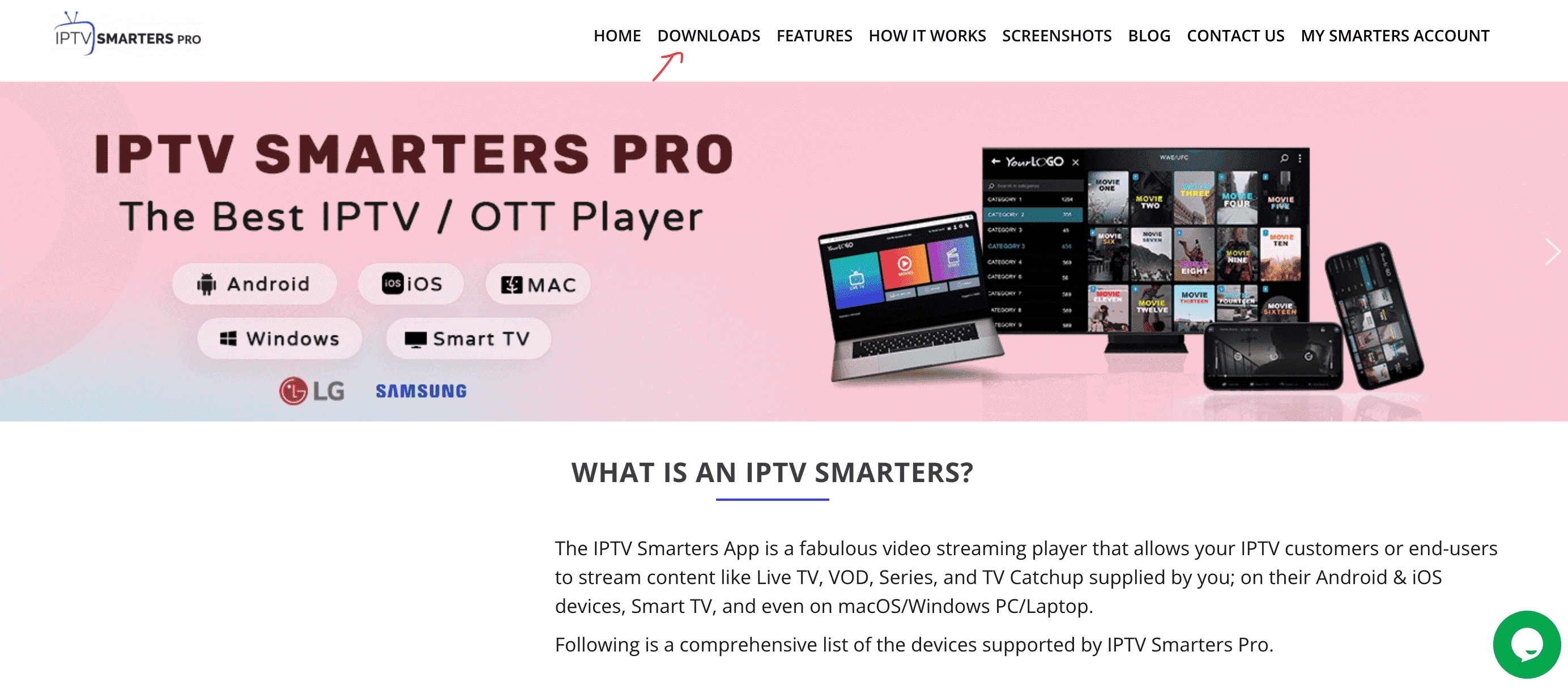
- Search for IPTV Smarters Pro in your browser.
- Open the official site: iptvsmarters.com.

- Go to Downloads and install the Windows or Mac version.

- Launch the app → Add New User → Login with Xtream Codes API → enter your IPTVSKY details.

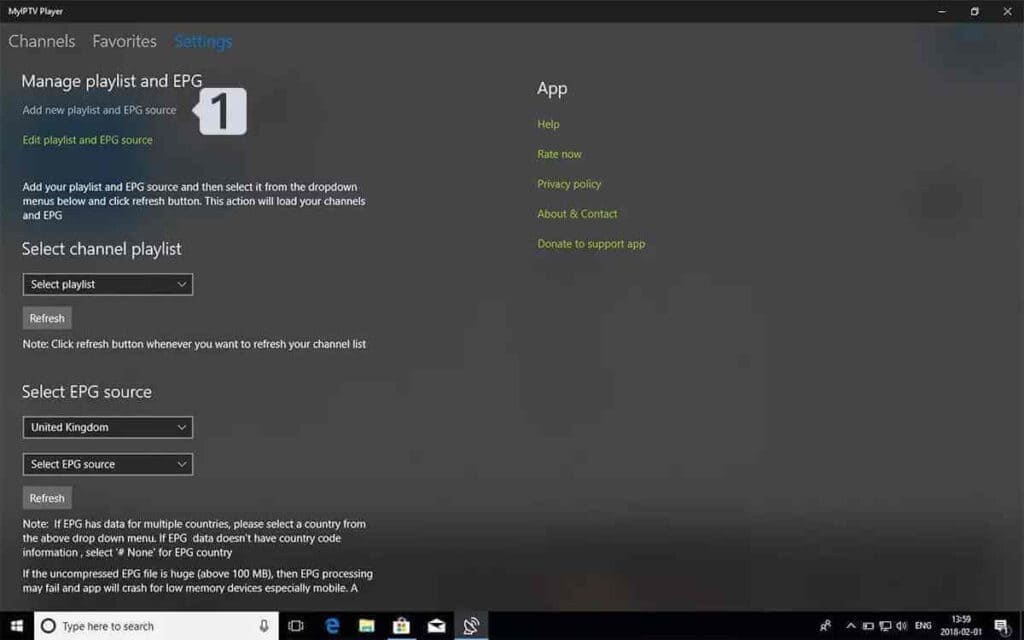
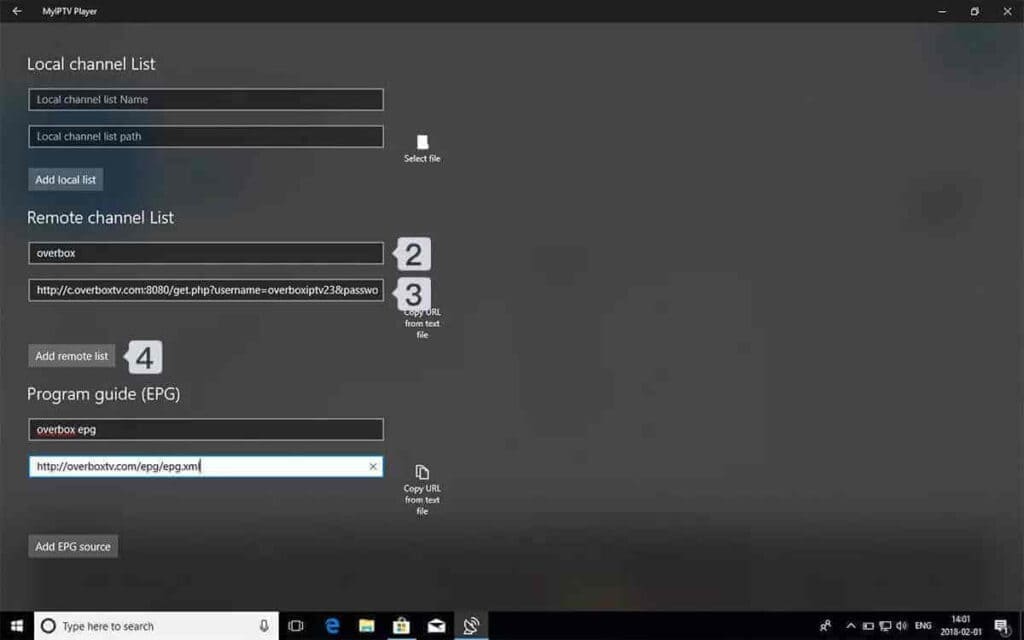
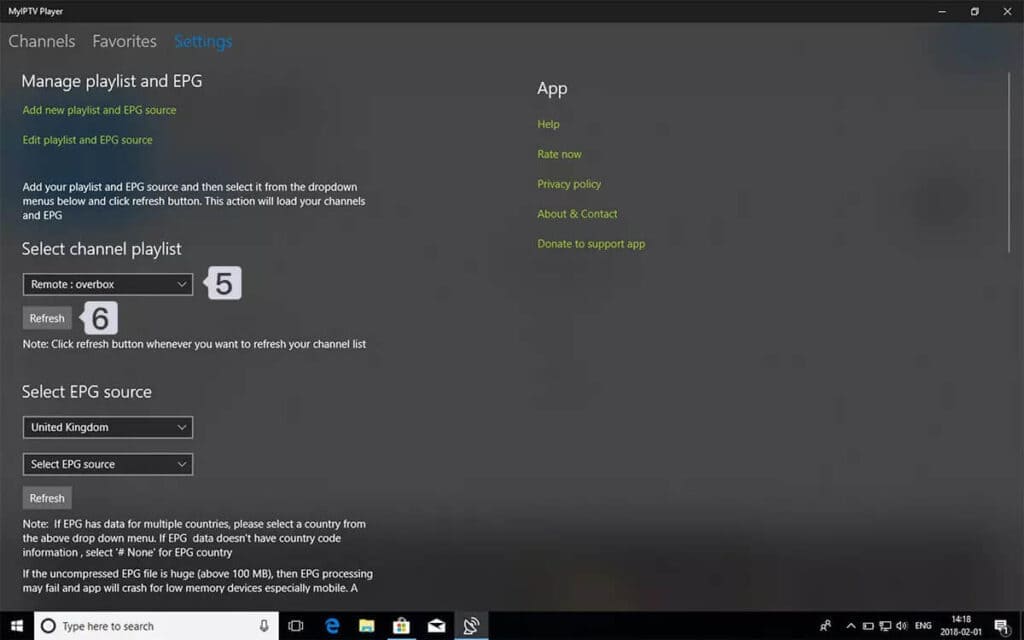
Method 2: MyIPTV Player (Windows 10/11)
Microsoft Store — MyIPTV Player
- Open Settings → Add new playlist and EPG source.

- Add your M3U link (name it “IPTVSKY”) → Add remote list.
- Back to Settings → pick it under Select Channel Playlist and start watching.
Tip: For 4K streams, Ethernet beats Wi-Fi on desktops.
Android Phone & Tablet — mobile setup
TiviMate Mobile
IPTV Smarters
Perfect Player
Requirements: Android 5.0+, stable Wi-Fi or 4G/5G.
Method 1: Google Play
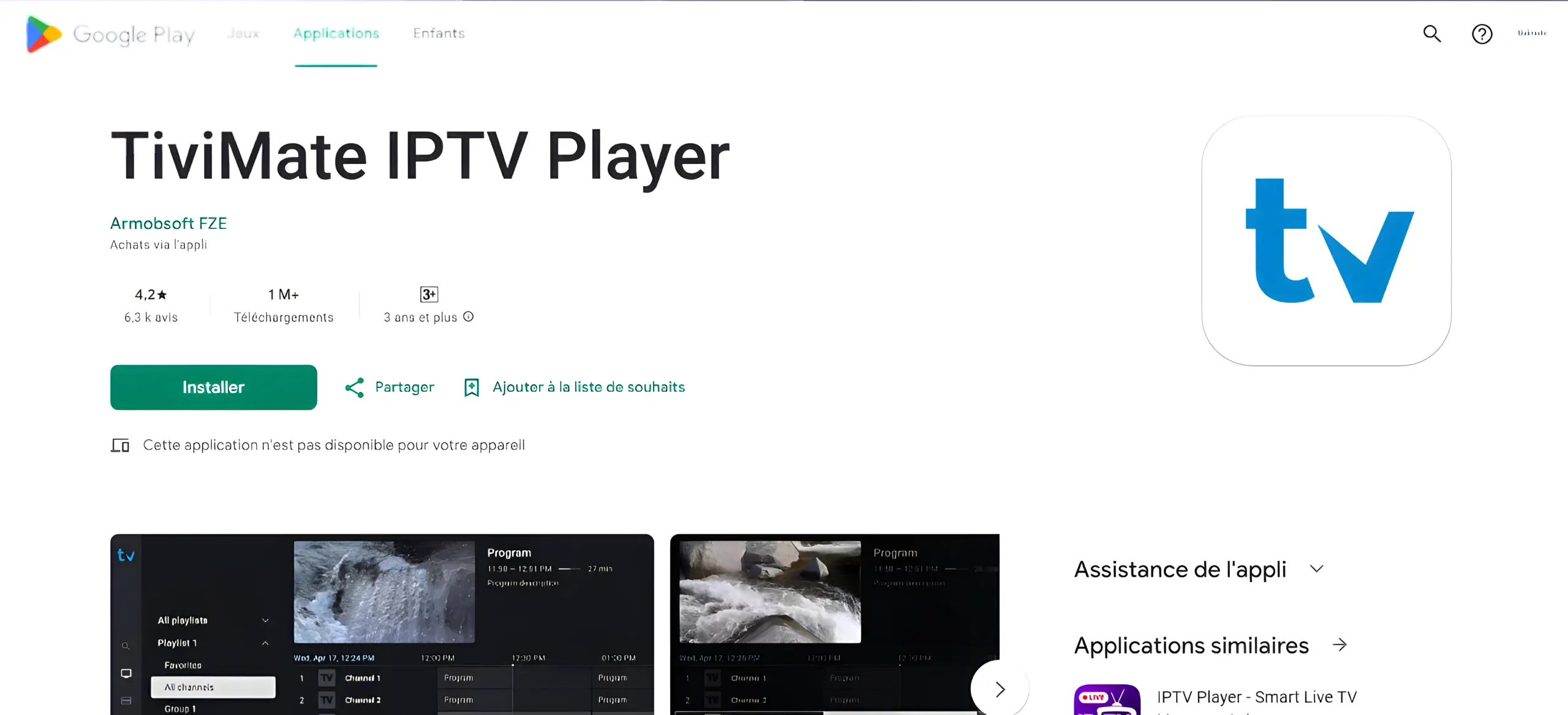
- Open Google Play and search for TiviMate IPTV Player.
- Tap Install → open the app → Add Playlist.
- Choose Xtream Codes or M3U Playlist based on what we sent you.
- Enter Server / Username / Password (or M3U URL) and let it load channels + EPG.
Method 2: Official APK
Use this if TiviMate doesn’t appear in Google Play on your device.
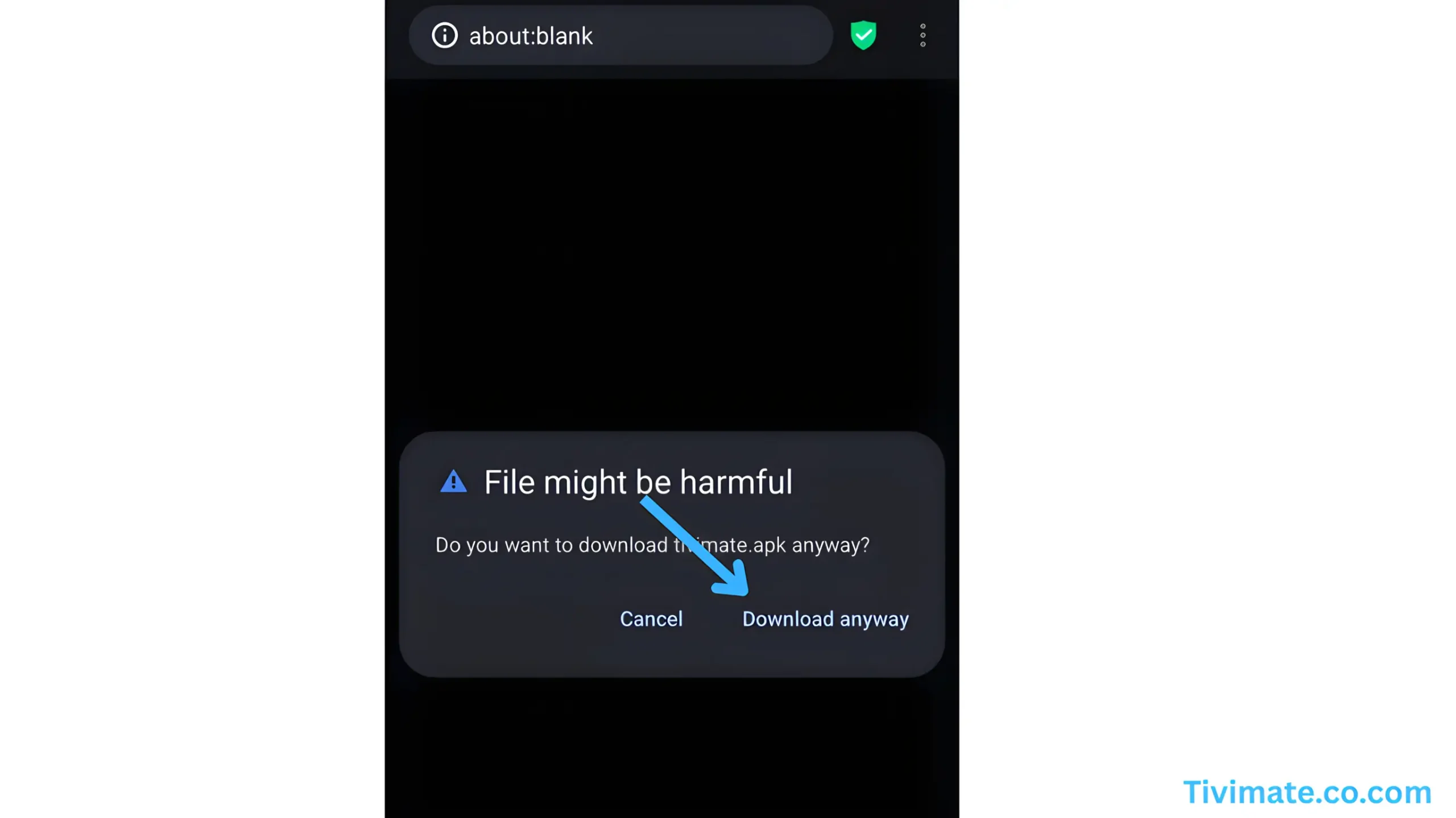
- Go to tivimate.com and download the APK.
- If prompted, allow Unknown sources in Settings → Security.
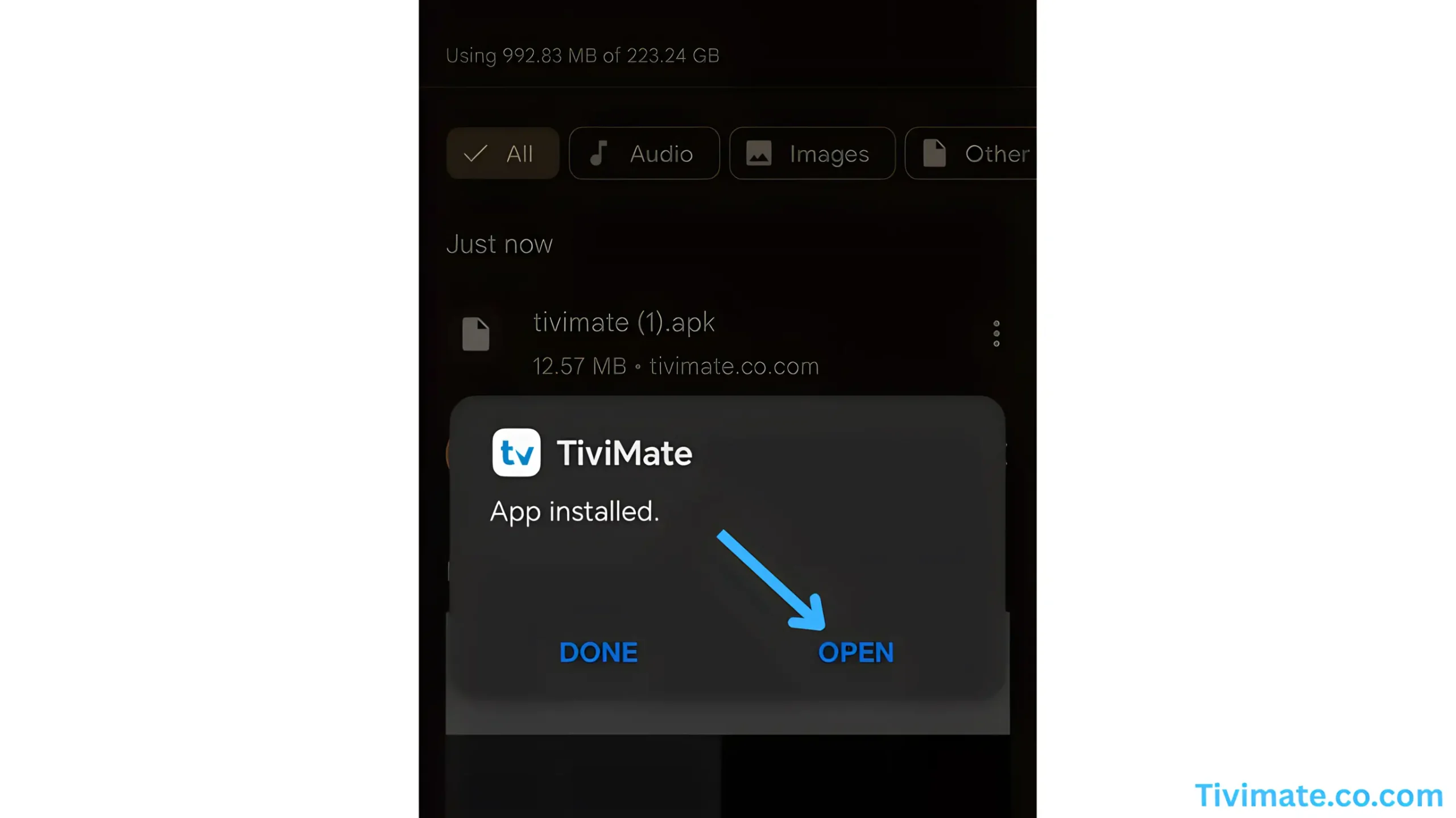
- Install, open TiviMate, then add your playlist as above.
Data usage: ~1 GB/hr (SD), ~3 GB/hr (HD). Prefer Wi-Fi when possible.
Battery: Streaming is intensive—disable battery optimization for your IPTV app if playback stops in background.
FAQs
Does TiviMate include channels? ▸
No—TiviMate is just the player. Channels come from your IPTVSKY subscription via M3U or Xtream Codes.
Seeing “invalid” on login. ▸
Double-check server/username/password, remove extra spaces, and ensure the URL starts with http:// or https://
How do I reduce buffering on mobile? ▸
Use 5 GHz Wi-Fi, close background apps, lower stream quality if needed, or try a VPN if your ISP throttles streaming.